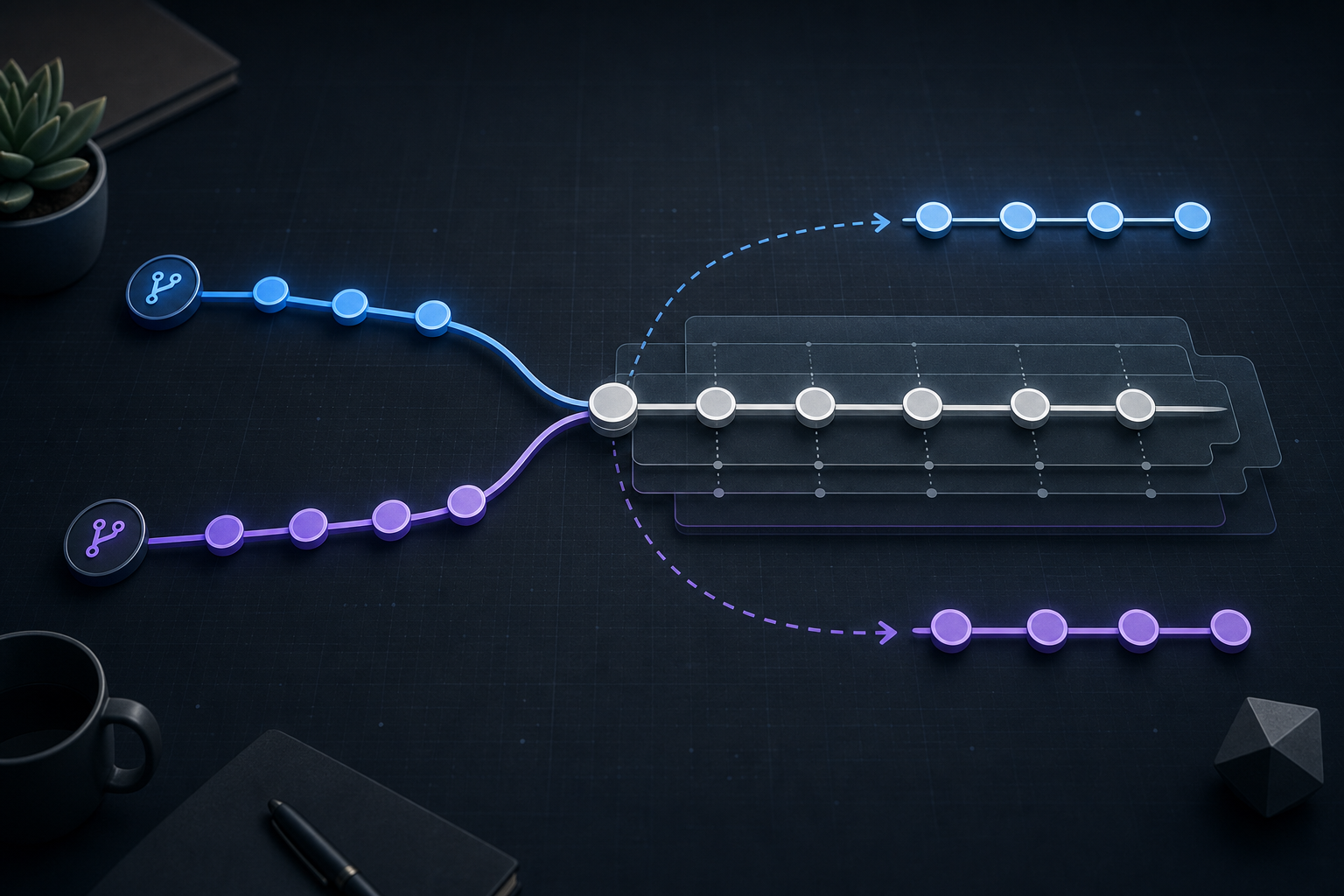
Why merge conflicts during interactive rebase matter
A merge conflict during interactive rebase is not just a blocked command prompt; it is a point where Git has paused because your branch history is being rewritten and one or more commits can no longer be applied automatically. That matters operationally because the conflict resolution you choose becomes part of the new commit history, and any mistake can ripple through later rebases, reviews, and deployments.
If you work in long-lived feature branches, maintenance branches, or security-sensitive repositories where commit hygiene matters, interactive rebase can be a clean way to linearize history and isolate changes. After reading this article, you should be able to recognize when the approach fits, understand what Git is doing during the pause, apply a safe conflict-resolution workflow, and verify whether the rewritten history is ready for integration.
Key takeaways
- Interactive rebase rewrites commits, so conflict resolution affects new commit IDs, not just file contents.
- The safest approach is to inspect the paused state, resolve one conflict at a time, and verify the result before continuing.
- Interactive rebase is best suited to local or private branch history, not branches already consumed by others unless your team explicitly accepts rewriting.
- Validation matters as much as resolution: the branch should build, test, and contain the intended changes after the rebase completes.
What interactive rebase changes operationally
Interactive rebase takes a sequence of commits and replays them onto a new base. During that replay, Git may stop when a commit no longer applies cleanly because the target files have changed since the commit was created. The pause is deliberate: Git is asking you to reconcile the difference before the next commit is replayed.
This is different from a normal merge conflict in one important way. With a merge, Git combines two histories and creates a merge commit after you resolve the conflict. With interactive rebase, Git rebuilds the branch one commit at a time. The branch content may end up similar, but the history structure is not the same. If you need a deeper comparison of those workflows, Git Rebase vs Merge: Choosing the Right Workflow is a useful companion reference.
That history rewrite is why teams often prefer interactive rebase for tidy feature branches and avoid it on shared integration branches unless there is a strong reason. The technical consequence is straightforward: once the branch is rewritten and pushed, other clones may need to reconcile their local history with the new commit IDs.
How conflict resolution works during interactive rebase
When Git stops during rebase, it leaves your working tree and index in a partially applied state. The current commit is not fully accepted yet, and the conflict markers in files show where the replayed patch no longer fits. At that moment, you are not merging two branches in the usual sense; you are deciding how the rewritten commit should look in the new history.
The practical mental model is this: each paused commit is an adjustment layer. You inspect the conflict, edit the affected files, stage the corrected content, and then tell Git to continue replaying the remaining commits. If later commits depend on the exact shape of the earlier fix, the rebase may pause again. That is normal and expected.
The safest path is to keep the resolution narrow and evidence-based. Resolve only what the commit actually needs, do not fold in unrelated cleanup, and avoid introducing semantic changes while you are still understanding the conflict. If the conflict is complex, it may help to compare it with the operational patterns described in Git Rebase Conflicts: Resolve and Preserve Commit History.
Compact workflow block
# Start an interactive rebase against the chosen base
git rebase -i <base>

# If Git stops on a conflict
git status
# inspect conflicted files, edit them, then stage the resolved paths

# Mark the current commit as resolved and continue
git add <resolved-files>
git rebase --continue

# If the resolution is wrong or the branch no longer makes sense
git rebase --abort
This workflow is intentionally compact because the critical work is not the command sequence itself; it is the validation between each command. git status shows which files are unresolved, and git rebase --continue should only be used after you are satisfied that the staged result reflects the intended change.
A practical scenario you may recognize
Consider a feature branch that updates an authentication flow while the main branch has also changed shared middleware and configuration defaults. The branch owner starts an interactive rebase to clean up commit order before review. Midway through, a conflict appears in a middleware file because both branches changed the same validation block, but for different reasons.
This is a common pattern in platform engineering and security work. One commit may be a behavior change, another may be a hardening update, and a third may be a refactor. Interactive rebase can make the final history easier to review, but it also means the engineer must reconstruct the intended state carefully rather than simply accepting one side wholesale.
In this situation, the right response is usually to ask a few precise questions: which lines represent the security or functional intent of the feature commit, which lines came from the upstream base, and whether the combined result still passes the expected checks. If the branch is a private work branch, rewriting history is usually acceptable. If the branch has already been shared broadly, this may not be the right point to rebase at all.
What to check while the rebase is paused
When Git pauses, the main objective is to validate both the local edit and the contextual fit of that edit in the rewritten branch. A conflict marker disappearing is not enough. You want evidence that the file now reflects the intended behavior.
A practical review sequence is:
- Inspect the conflicted file and identify the exact lines that were changed by each side.
- Resolve the file in a way that preserves the intended effect of the commit being replayed.
- Stage only the resolved paths that belong to the current conflict.
- Review
git diff --stagedto confirm the staged content is what you expect. - Continue the rebase only after the staged diff looks correct.
For security-sensitive repositories, it is especially important to avoid introducing unrelated edits while resolving conflicts. A clean staged diff makes code review and auditability much easier later.
Implementation trade-offs
Interactive rebase gives you a cleaner history, but that benefit comes with operational cost. The most obvious trade-off is history rewriting. If the branch is already shared, rewritten commits may confuse teammates or disrupt downstream branches that were based on the old commit IDs. In that case, use caution and confirm your team’s branch policy before proceeding.
Another trade-off is traceability. A linear history can make review and bisecting easier, but only if the rewritten commits remain meaningful after conflict resolution. If you squash or reorder too aggressively, you may lose the original context that explains why a change exists. This is why interactive rebase is often best used with a clear purpose: tidy a private branch, prepare a review branch, or reorder commits for correctness.
There is also a complexity trade-off in the conflict itself. Because rebase replays commits individually, you may resolve similar conflicts more than once if multiple commits touch the same area. That can be worthwhile when the result is a much cleaner branch, but it is not always the cheapest path. If you need a workflow choice framework, Git Rebase vs Merge: Resolving Conflicts in Feature Branches can help you decide when the rebase cost is justified.
What this means in practice
In day-to-day engineering work, interactive rebase is best treated as a controlled history rewrite, not as a generic conflict fix. If your goal is simply to integrate changes safely on a shared branch, a merge may be the lower-risk option. If your goal is to present a small, reviewable, linear set of commits, interactive rebase can be the better tool.
The practical rule is simple: use interactive rebase when you own the branch state or when your team explicitly allows rebasing before integration. Avoid it when multiple people are already building on the same branch unless you have a process for communicating the rewritten history. The technical risk is not the conflict resolution itself; it is the mismatch between rewritten history and other clones that still point at the old commits.
For production-oriented teams, the most valuable habit is verification. After the rebase completes, check that the branch still builds, the relevant tests pass, and the commit history tells the story you intended. A conflict resolved correctly but embedded in a broken branch is still an operational failure.
Decision guidance
Interactive rebase is a good fit when the branch is small enough to understand, the history rewrite is acceptable, and you want the final commits to read cleanly. It is also useful when you need to reorder, edit, or drop commits before review. If the conflict touches a security control, authentication path, or deployment-critical configuration, rebase can still be appropriate, but only if you can validate the result immediately afterward.
It is usually the wrong choice when the branch is already the basis for team collaboration, when you cannot afford commit ID changes, or when the resolution would be easier to express as a straightforward merge. In those cases, preserving the existing history may be more operationally important than producing a linear one.
A good decision rule is this: if you would be uncomfortable explaining the rewritten history to every downstream consumer of the branch, do not rebase it.
Common mistakes to avoid
The most common mistake is continuing the rebase before the staged resolution has been reviewed. That can cause the next commit to replay on top of a bad fix, making the root cause harder to isolate later.
Another frequent error is resolving conflicts by taking one side wholesale without checking intent. In practice, rebase conflicts often involve both a functional change and an upstream adjustment. Blindly choosing one side can silently remove required behavior.
A third mistake is using interactive rebase on a branch that others already consume, then force-pushing without coordination. The branch may look correct locally, but everyone else now has to reconcile a rewritten history.
Finally, some teams forget to validate the result after the rebase completes. A clean git status is not enough. The branch should be tested in the same way you would validate any other change that affects runtime behavior or deployment logic.
Production readiness checklist
Before using interactive rebase on a conflict-prone branch, confirm the following:
- The branch is private, low-risk to rewrite, or explicitly approved for history rewriting.
- You know which commit or base the rebase is targeting.
- You can identify whether each conflict is functional, cosmetic, or security-relevant.
- You have reviewed the staged diff after each resolution.
- You can run the relevant build or test checks after the rebase completes.
- You understand how to abort and restore the branch if the resolution goes wrong.
- If the branch is shared, downstream users have been informed before any force-push.
Final takeaway
Resolving merge conflicts with interactive rebase is effective when you need clean, intentional commit history and you can safely rewrite the branch. The key is to treat the pause as a verification point, not just an editing interruption: inspect the conflict, resolve only what is needed, stage carefully, continue only when the diff is right, and validate the branch before production use.
Use this guidance together with Spark Streaming performance and C# file upload validation to connect the workflow with related operational context already available on the site.
Part of the Programming: Git Insights content cluster.