Why rebase conflicts matter
A Git rebase conflict is not just a merge inconvenience. It means Git has stopped replaying commits because the patch being applied no longer matches the branch state it expects. In practice, that pause can affect release branches, long-lived feature branches, and any workflow where developers rely on a clean linear history for review, bisecting, or auditing.
The operational risk is twofold. First, you can accidentally resolve the conflict in a way that changes behavior instead of just reconciling text. Second, because rebase rewrites commit history, you can create confusion for collaborators if you continue without verifying the final result. After reading this article, you should be able to recognize when rebase conflicts are safe to resolve, understand what Git is doing during the pause, apply a compact recovery workflow, and check whether the rewritten history is ready to share.
Key takeaways
A rebase conflict usually means the branch you are replaying has diverged from the target branch in a way Git cannot auto-apply. The conflict is not inherently dangerous, but the response must be deliberate.
- Rebase rewrites commits, so the resulting history is new commit ancestry, not a simple update.
- Conflict resolution during rebase should preserve intent, not just eliminate markers.
- You should inspect the paused state before editing files so you know which commit is being replayed.
- Validation matters after the conflict is resolved because a clean rebase can still produce an incorrect build or test failure.
- If you are uncertain about branch sharing, policy, or downstream consumers, rebase may not be the right integration method; compare the trade-offs in Git Rebase vs Merge: Choosing the Right Workflow before choosing the workflow.
What is actually happening during a rebase
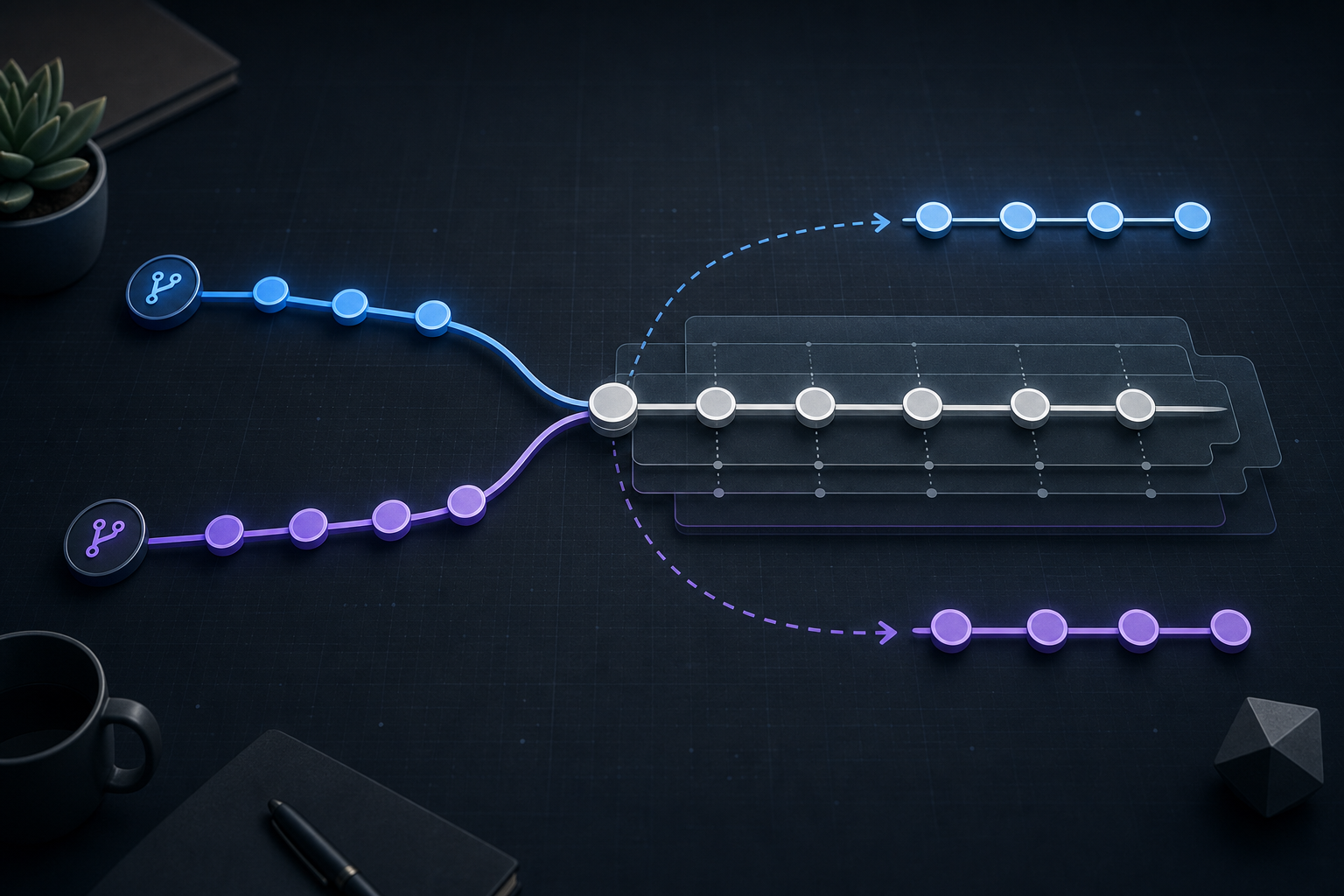
Rebase does not merge two histories together the way a merge commit does. Instead, Git takes your commits and replays them one by one onto a new base commit. When one of those patches no longer applies cleanly, Git pauses and asks you to resolve the conflict before it can continue.
This is why the same file can conflict even when the branch looked stable in isolation. The code may have changed upstream, the same lines may have been refactored, or a neighboring commit may have altered context that Git uses to apply the patch. The conflict often exposes a real integration question: which intent should survive, the old local change or the new upstream change?
When rebase is paused, you are not editing a finished result. You are editing the intermediate state of a commit replay. That distinction matters because the correct fix may be to adjust the current patch, not to directly “make the file work” in a way that breaks the commit’s original purpose.
A compact workflow for resolving and preserving history
Use this workflow when rebase has stopped and you need a safe, repeatable way to continue.
# confirm the paused state and identify the current commit
git status

# inspect the conflict markers and the incoming/current changes
git diff

# resolve files carefully, then stage the resolved paths
git add <resolved-file>

# continue replaying commits
git rebase --continue

# if the result is wrong or you need to stop, abandon the rebase
git rebase --abort
The important part is not the command sequence itself; it is the discipline around it. Resolve one commit at a time, stage only what is ready, and verify that the branch still expresses the original intent of each patch being replayed.
How to inspect the paused state safely
Before editing, establish three facts: what commit is being replayed, what changed upstream, and what the file looked like before the conflict. git status tells you where the rebase is paused. git diff shows the conflict area and the current file state. If you need a clearer picture of the branch ancestry, git log --oneline --graph --decorate --all can help you confirm whether the replayed commit sits on top of the intended base.
In a practical review, compare the patch intent rather than only the line-level conflict. If the conflict is in a security control, a configuration file, or a deployment manifest, you should confirm whether the upstream change altered semantics such as default values, ordering, or environment-specific overrides. For sensitive files, treat the conflict like a code review decision, not a mechanical text edit.
Practical scenario: a feature branch rebased onto a hardening change
Imagine a platform team working on a feature branch that adds a new service endpoint. While the branch is open, the main branch receives a hardening change that tightens request limits and updates the shared routing module. When the feature branch is rebased, Git pauses on a conflict in the route definition file.
This is a common operational pattern in engineering and security environments: the feature change was correct when written, but the upstream hardening work changed the surrounding context. The right fix may be to keep the endpoint, inherit the new security limit, and update the route metadata so both changes coexist. The wrong fix would be to simply restore the old version of the file because it “looks like what I had before.” That can silently discard the hardening change.
In environments with frequent branch rebases, CI gating, and code owners, this is exactly where a conflict review should include tests, policy checks, and an audit of any file that encodes operational controls.
What this means in practice
The practical rule is simple: resolve the conflict in a way that preserves the meaning of the commit being replayed and the meaning of the newer upstream change.
For text files, that usually means choosing between three outcomes:
- keep the upstream change and discard the local line
- keep the local change and adapt it to the new context
- combine both changes explicitly, then validate that the combination still works
For configuration and security-sensitive files, the safest interpretation is often not the easiest textual one. For example, if an upstream commit changed a default timeout and your branch changed an authentication setting in the same block, the final file must be checked as a whole because line-by-line conflict resolution can alter control behavior.
If you need more detail on safely handling the paused state itself, the workflow and edge cases are covered in Git Rebase Conflicts: Resolve and Continue Safely. For a broader history-preservation angle, Git Rebase Conflict Resolution for Clean Commit History explains how to inspect the replayed state and verify that the resulting branch remains suitable for production use.
Decision guidance: when rebase is appropriate
Rebase is a good fit when your goal is a linear commit history and you control the branch or can coordinate with everyone who consumes it. That makes it useful for local feature branches, short-lived integration branches, and review workflows where each commit should remain understandable after replay.
Rebase is less attractive when the branch is already shared widely, when many downstream systems refer to specific commit hashes, or when the team expects merge commits to preserve the exact integration points. In those cases, rewriting history can create unnecessary churn even if the conflict resolution is technically correct.
A useful decision rule is this: if your branch history is disposable but your final result must be precise, rebase is often acceptable. If your history is already part of an external contract, a release artifact, or a coordination point across teams, preserve that history instead of rewriting it.
Common mistakes that create hidden risk
The most common mistake is resolving conflicts by instinct instead of by intent. That often happens when engineers focus on removing conflict markers as quickly as possible and forget to verify the final behavior.
Another frequent error is staging files and continuing before checking whether the replayed commit still makes sense. A rebase can continue successfully with a logically broken result if the file technically applies.
A third mistake is forgetting that rebase is rewriting history. If the branch has already been pushed and others may have based work on it, continuing can force them to reconcile new commit hashes. That is not a conflict-resolution issue; it is a collaboration issue.
Finally, some teams resolve a conflict and assume the work is done because the rebase completed. In reality, the first proof point is only that Git could replay the commits. The second proof point is whether the branch still builds, tests, and behaves correctly.
Validation checks before you trust the result
After the conflict is resolved and the rebase continues, validate the branch as if you were reviewing a change set, not just a file edit. The exact checks depend on the repository, but the following are broadly useful:
- confirm
git statusreports a clean working tree - inspect the rewritten history with
git log --oneline --graph --decorate - run the smallest relevant test set that exercises the conflicted area
- review any configuration or policy files for unintended value changes
- compare the branch against the target base to ensure the intended deltas remain present
If the conflict involved a security control, deployment manifest, or infrastructure definition, add a targeted control check. A passing unit test is not enough if the branch also changed access rules, certificates, runtime flags, or environment bindings.
Production readiness checklist
Before you treat the rebased branch as ready for production or review, confirm the following:
- the rebase completed without unresolved conflict markers
- the final commit sequence still matches the intended change set
- the working tree is clean and no unintended files were introduced
- the affected tests or validation commands passed
- any branch-sharing impact has been considered before force-pushing
- reviewers understand that commit hashes changed because history was rewritten
- sensitive or operational files were checked for semantic changes, not just text resolution
If any of those checks is missing, the branch may be syntactically resolved but not operationally safe.
The practical takeaway
Git rebase conflicts are manageable when you treat them as an integration checkpoint, not a formatting problem. Preserve the intent of each replayed commit, confirm what changed upstream, validate the rewritten branch, and only continue when the result is safe to share. That approach keeps the history clean without sacrificing correctness, which is the real objective of a disciplined rebase workflow.
Use this guidance together with Node.js API rate limiting to connect the workflow with related operational context already available on the site.
Part of the Programming: Git Insights content cluster.