Key takeaways
Feature branch conflicts are not just a syntax problem; they are a history-management decision. Choosing between rebase and merge changes how you resolve conflicts, how your commit graph looks, and how safely other contributors can continue from the same branch.
Use rebase when you want a linear branch history and the branch is still local or owned by a single developer. Use merge when you need to preserve the branch relationship, avoid rewriting shared history, or keep a clear record of integration points.
The practical question is not whether one approach is universally better. It is whether your branch is disposable, shared, or already published, and whether your team values clean history more than explicit merge commits.
Why this matters in real work
When a feature branch falls behind main, the same files are often edited in both places. The conflict itself is usually manageable. The operational risk comes from how you integrate the fix back into the branch and what happens to commit identity afterward.
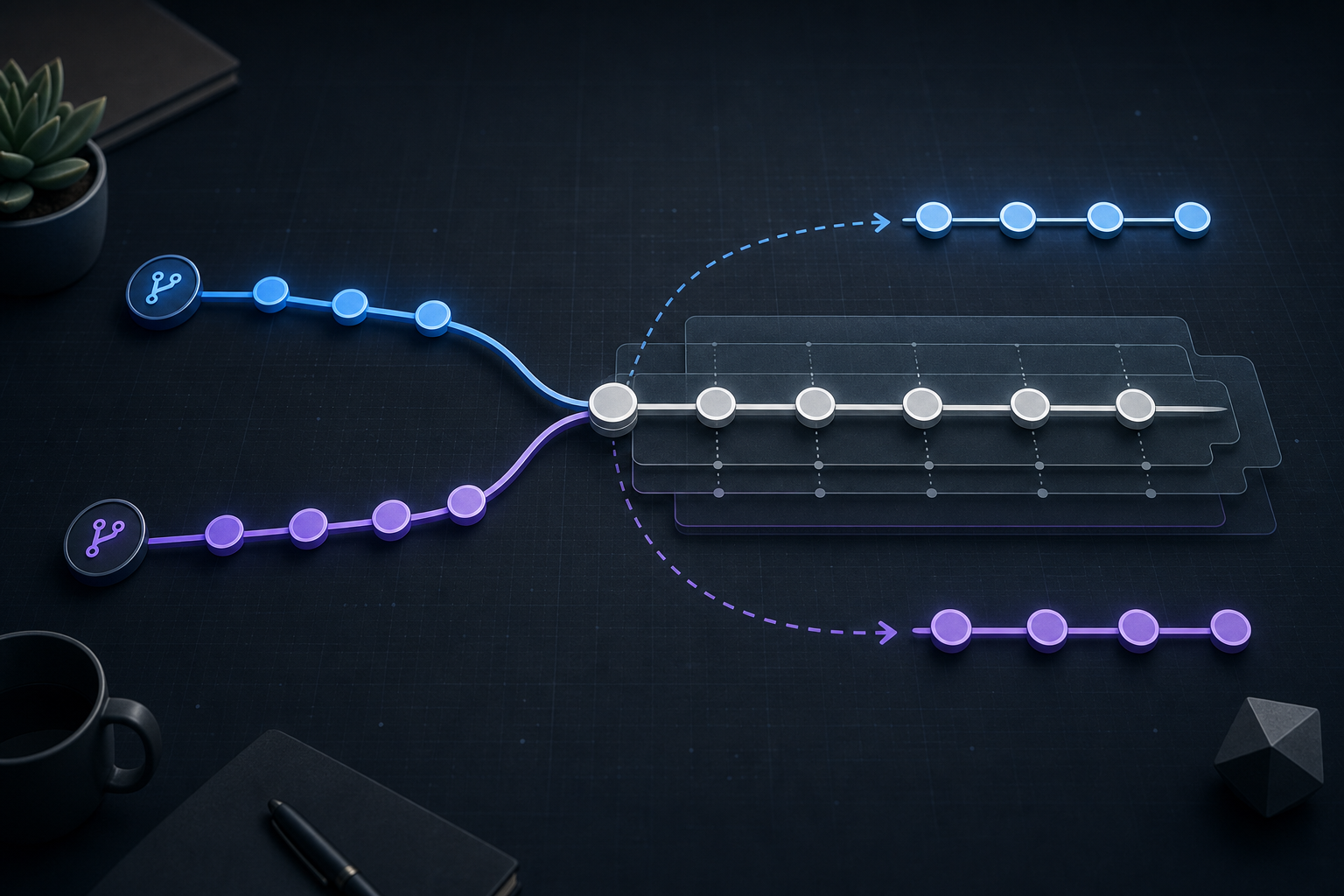
With rebase, Git replays your feature commits on top of a new base commit. That often produces a cleaner history, but it also rewrites commit hashes and can complicate collaboration if the branch is already shared. With merge, Git creates a new commit that ties the histories together without rewriting existing commits, which is safer for shared branches but can make history less linear.
If you are working in environments where traceability matters, such as security review, change management, or incident response, the integration choice affects how easily you can audit what changed and when. If you want a deeper decision framework for the two workflows themselves, see Git Rebase vs Merge: Choosing the Right Workflow.
How Git rebase and merge handle conflicts
The core difference is when Git applies the changes.
A merge combines two histories at once. If both branches changed the same lines, Git stops and asks you to resolve the conflict in the context of both branch tips. Once resolved, the resulting merge commit records that the branch histories were joined.
A rebase applies your feature branch commits one by one onto the updated base. If an early commit conflicts, Git pauses at that commit. You resolve the conflict, stage the result, and continue. The same conflict may appear more than once if later commits touch the same area again, which is one reason rebase can feel more iterative.
This distinction matters because conflict resolution during rebase is not just about making the code compile. You are also deciding whether each replayed commit still makes sense on the new base. For operational handling of paused rebases, Git Rebase Conflicts: Resolve and Continue Safely is useful when you need a compact recovery workflow.
Compact workflow block
The right workflow depends on whether the branch is shared.
If the feature branch is unshared or you are the only contributor:
  1. Rebase the feature branch onto the latest base branch.
  2. Resolve conflicts commit by commit.
  3. Validate the result with tests and log inspection.
  4. Push only if the branch policy allows rewritten history.

If the feature branch is shared or already reviewed by others:
  1. Merge the base branch into the feature branch, or merge the feature branch into the target branch.
  2. Resolve the conflict once in the merge commit.
  3. Re-run validation against the integrated result.
  4. Preserve the existing commit history unless your team explicitly approves rebasing.
That compact distinction is usually enough to prevent most workflow mistakes.
A practical scenario you will recognize
Imagine a security tooling team maintaining a parser in a long-lived feature branch. The branch adds support for a new event format, while main continues to evolve with logging and schema updates. Both sides modify the same parsing function and adjacent tests.
If the branch is still on the developer’s laptop, rebasing can be attractive. The developer can replay the parser changes onto the latest base, resolve each conflict in context, and keep the final history readable for review. That is useful if the team prefers a small, linear change set before merging.
If the branch has already been pushed for peer review and another engineer has pulled it to validate assumptions, rebasing becomes risky. The commit hashes change, reviewers may lose their exact reference points, and anyone who built work on top of the branch must reconcile the rewritten history. In that case, merging the base branch into the feature branch or merging the feature branch through a pull request is usually the safer operational choice.
The code conflict may look identical in both cases. The difference is not the conflict itself, but the ownership and visibility of the branch at the time the conflict is resolved.
Decision guidance: rebase or merge?
A simple decision rule is easier to apply than abstract Git advice.
Choose rebase when:
- The feature branch is local or effectively private.
- You want a linear history for review or release notes.
- You can afford to rewrite commit hashes.
- Your team policy explicitly allows force-pushing rewritten feature branches.
Choose merge when:
- The branch is shared, reviewed, or already consumed by others.
- You need to preserve the exact commit history.
- You want to avoid force-push risk.
- You need a visible record of the integration event.
A practical middle ground exists in many teams: rebase before opening a review, then stop rebasing after the branch is shared. That keeps history clean without disrupting collaborators.
What this means in practice
The right conflict resolution method changes how you inspect the branch, not just how you edit files.
With rebase, you should verify each replayed commit still expresses the intended change. A conflict may reveal that a commit no longer has a clean boundary and should be edited more carefully or split differently. If you continue a rebase without checking the resulting diff, it is easy to preserve the wrong behavior while still producing a successful build.
With merge, you should verify the combined branch result rather than the individual patch sequence. The merge commit can hide small logic regressions if the final code compiles but the interaction between features is wrong. This is especially relevant in infrastructure code, auth flows, access-control logic, and any code path where order of operations matters.
In both cases, the useful validation is not limited to git status. You want to confirm the branch state, the resolved files, and the behavior of the integrated result. If a rebase pauses mid-stream, inspect the conflicted commit, resolve carefully, and resume only when the branch is in a known-good state.
Implementation trade-offs you should account for
Rebase gives you cleaner history, but it rewrites commit identities and can complicate traceability if the branch has already escaped to other clones. That is the main reason it is usually favored before publication, not after.
Merge preserves history and reduces coordination risk, but it can produce extra merge commits that make git log less linear. In fast-moving repositories, especially where multiple branches are integrated frequently, that can make auditing a little noisier.
There is also a human factor. Teams that regularly rebase shared branches often create avoidable friction because developers must constantly realign local clones. Teams that always merge may accept cluttered history even when a cleaner sequence would help code review or release tracking. The best answer is usually a policy, not an improvisation.
Common mistakes that create avoidable conflict pain
A few patterns show up repeatedly in feature-branch work:
- Rebasing a branch after others have based work on it.
- Resolving a conflict mechanically without validating surrounding logic.
- Treating
git pullas harmless when the branch policy expects explicit rebase or merge behavior. - Continuing after a conflict without checking whether the paused operation is a rebase, merge, or cherry-pick.
- Force-pushing a rewritten branch without confirming that reviewers or automation will not break.
The most expensive mistake is assuming all conflict resolution is equivalent. It is not. A merge conflict and a rebase conflict may touch the same lines, but the operational consequences are different.
Production readiness checklist
Before you use either workflow in a production branch, verify the following:
- The branch is either private enough for a rebase or shared enough to require a merge.
- Your team policy allows the chosen integration method.
- You know whether the branch has already been consumed by other clones or automation.
- You have a rollback plan if the resulting history or merge commit is not acceptable.
- The resolved code has been validated with the relevant tests, linting, or build checks.
- You have confirmed whether any CI, review, or deployment automation depends on stable commit hashes.
- You understand whether the repository requires linear history, merge commits, or a mixed policy.
That checklist is intentionally short because the decision should be operationally simple. The point is to avoid an integration choice that creates new coordination problems after the conflict is already fixed.
Final takeaway
Git rebase and merge both resolve feature branch conflicts, but they solve different operational problems. Rebase is best for private or not-yet-shared work when you want a clean, linear history. Merge is best when the branch is shared, published, or needs to preserve its exact history.
If you remember only one rule, make it this: resolve the conflict in the workflow that matches the branch’s ownership, not just the shape of the code change. That is what keeps feature-branch integration safe, understandable, and production-ready.
Use this guidance together with Node.js API rate limiting and JWT authentication in ASP.NET Core to connect the workflow with related operational context already available on the site.
Part of the Programming: Git Insights content cluster.