Why Git rebase conflicts matter
Git rebase conflicts happen when Git cannot replay one or more commits cleanly onto a new base commit. In day-to-day engineering work, that usually means your local branch has diverged from the branch you are rebasing onto, and the same lines, files, or semantic changes have been modified in both places. The operational risk is not the conflict itself; the risk is continuing blindly and publishing a branch with incomplete validation, an unintended history rewrite, or a wrong resolution that looks syntactically correct but is semantically broken.
If you work in systems engineering, DevOps, or security-focused environments, this matters because rebases are often used to keep feature branches current, prepare patch sets, or maintain a clean review history. A careful rebase workflow helps you preserve correctness while keeping branch history readable. After reading this article, you should be able to recognize what a rebase conflict means, decide whether rebasing is the right move, resolve the paused state safely, and verify whether it is appropriate to continue, abort, or re-run the operation.
Key takeaways
- A rebase conflict means Git could not automatically apply a commit onto the new base.
- The safe response is to inspect the conflicted files, understand both sides of the change, and resolve with intent.
- You should validate the repository state before continuing so you do not replay an unintended history.
- If the rebase is already too messy or the branch is shared, aborting and choosing a different integration strategy may be safer; compare that trade-off with Git Rebase vs Merge: Choosing the Right Integration Strategy.
- In protected or release-sensitive workflows, the decision to rebase should align with your branch policy and release controls; see Secure Git Branching Strategies for Protected Releases.
What is actually happening during a rebase
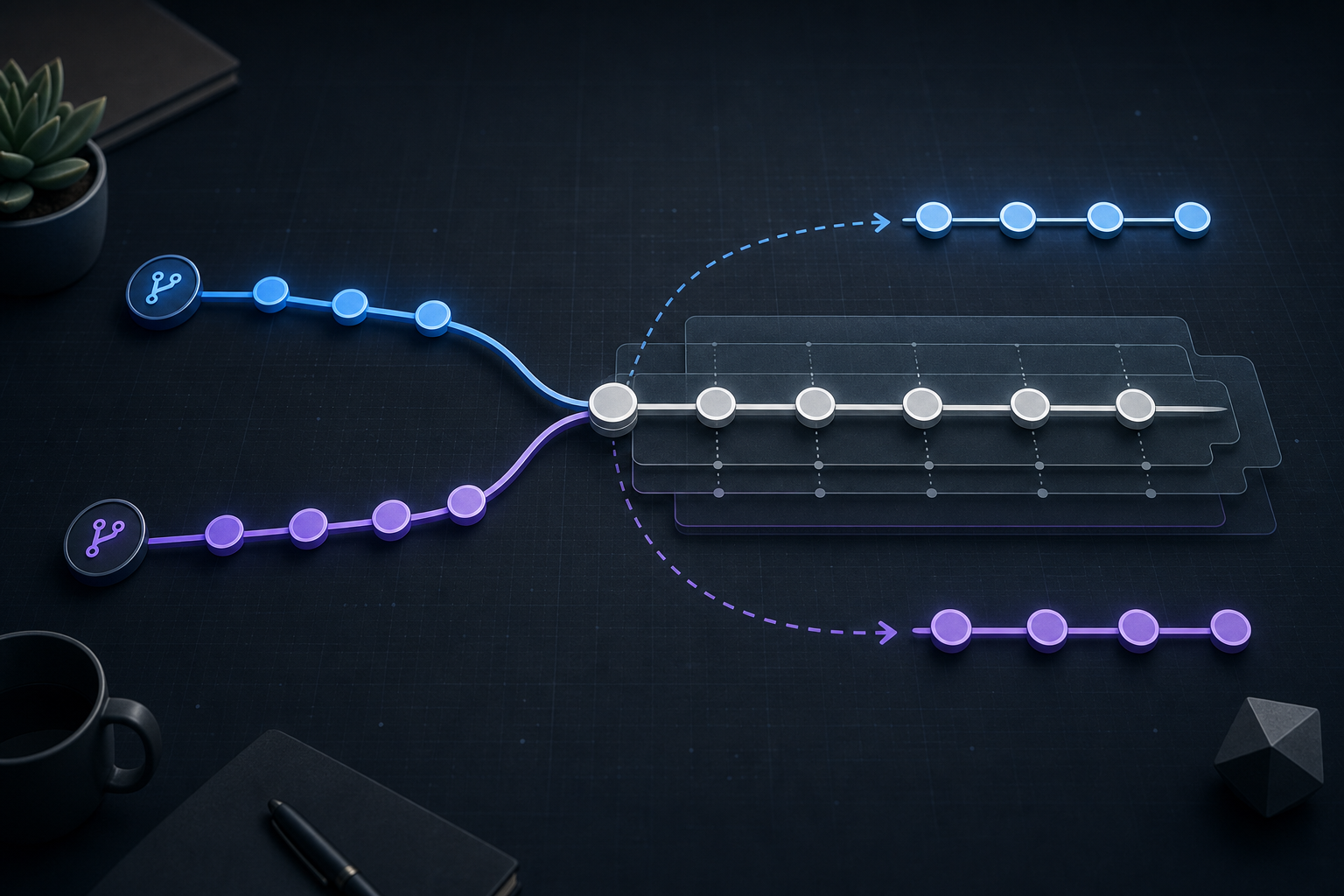
A rebase is not a merge in disguise. Git takes the commits from your current branch, detaches them, and replays them one by one on top of a different base. If a commit applies cleanly, Git advances automatically. If a commit conflicts, the process pauses and leaves the repository in an in-progress state until you resolve the conflict.
That pause is important. Git is not asking you to “fix the branch” in a broad sense; it is asking you to decide how a specific commit should be transformed relative to the new base. In practical terms, a rebase conflict often means one of three things:
- the same lines changed in both branches,
- a file was renamed, split, or removed on one side,
- the commit being replayed no longer makes sense in the context of the new base.
This is why conflict resolution during rebase needs more care than simply removing markers. You are not just making the file compile; you are confirming the resulting change still matches the intended behavior of the original commit.
Compact workflow for safe conflict handling
A concise operational pattern helps keep the process controlled without turning it into a ritual.
git status
# inspect conflicted files

git diff --merge
# or inspect the specific file manually

# edit files to resolve conflict markers and confirm intent

git add <resolved-files>

git rebase --continue
# if the result is not correct:
# git rebase --abort
This workflow is intentionally compact. The useful part is not the commands alone, but the sequence: identify the in-progress state, inspect the conflict in context, resolve deliberately, stage the result, and continue only when you understand what will be replayed next.
How to resolve conflicts without losing intent
The core discipline is to resolve the conflict at the meaning level, not just the syntax level. Conflict markers show you where Git failed, but they do not tell you which version preserves the original change intent.
A practical way to think about it is to ask three questions before editing the file:
- What did the original commit intend to do?
- What changed on the new base that made the replay fail?
- What final state preserves both behaviors without creating a hidden regression?
That often leads to a resolution that combines elements from both sides, but not always. In security or infrastructure code, for example, the incoming base may have replaced an unsafe pattern with a guarded one, and the rebased commit should adapt to that safer structure rather than forcing the old implementation back in.
When the conflict spans generated files, lockfiles, schema migrations, or configuration files, the safest path is to prefer the source-of-truth artifact and regenerate or revalidate rather than hand-editing a large merged block. For code changes, read the surrounding context, not just the conflicting hunk. A file can look resolved and still fail a test because a nearby function signature, import path, or contract changed upstream.
A realistic scenario you may recognize
Imagine a platform team working on a service rollout while the base branch is moving quickly. A feature branch adds request validation and updates error handling. While the branch is in review, the base branch also changes the same handler to add stricter authentication checks and refactor request parsing.
When the engineer rebases the feature branch, Git pauses on a conflict in the handler. The temptation is to keep the local version because it already passed earlier tests. That is risky. The upstream authentication change may alter the expected flow, and the old validation code may now run in the wrong branch of the logic.
The right response is to inspect the current base behavior, compare the original commit intent, and verify whether the feature still fits the new control flow. In this kind of environment, a clean rebase is only successful if the resulting branch still passes tests, preserves security checks, and reflects the current architecture. If the branch has already become too far from the base, a merge or a fresh branch may be safer than forcing the rebase through.
What this means in practice
A rebase conflict is usually a signal that your local work and the upstream branch are competing to define the same part of the codebase. That does not automatically make rebasing wrong. It means the operation requires human judgment at the exact point where automated replay stops being trustworthy.
In practice, the safest pattern is:
- treat the conflict as a review checkpoint, not a nuisance,
- confirm the semantic intent of the commit being replayed,
- resolve with tests, not just with file diffs,
- continue only when the branch state makes sense end to end.
This is also where change risk matters. On a small feature branch with a single author, a rebase conflict is usually manageable. On a long-lived branch with multiple collaborators, the same conflict can become a coordination problem because rebasing rewrites commit IDs and can complicate shared history. That is one reason integration strategy should be selected deliberately, not out of habit.
Decision guidance: continue, abort, or switch strategy
The main question after a conflict is not “how do I make Git proceed?” It is “is continuing the right operational decision?”
Use the following guidance:
- Continue when the branch is local or tightly controlled, the conflict is understandable, and you can validate the result quickly.
- Abort when the conflict reveals that the branch needs broader review, the resolution is uncertain, or the history rewrite would create confusion.
- Switch strategy when the branch is shared, the rebase spans many commits, or the workflow requires preserving the exact branch topology for audit or release purposes.
A rebase is most defensible when your team accepts history rewriting for that branch and you can coordinate the result. If you are working under release controls, protected branches, or compliance-sensitive review flows, make sure your branching policy explicitly allows the operation and defines who can force-push, who reviews the result, and what evidence must be retained.
Common mistakes that create avoidable risk
The most common mistake is resolving conflict markers mechanically without checking the intent of the change. That often creates code that looks valid but behaves incorrectly in edge cases.
Another mistake is continuing immediately after staging, without reading the next commit that Git will replay. A conflict may be resolved correctly, but the next replayed commit might still fail if the resolution changed surrounding assumptions.
A third mistake is using rebase on a branch that other engineers already pulled, then force-pushing without coordination. That can invalidate their local history and cause them to rebuild work on top of a rewritten base. If that branch is shared, be very careful about whether rebase is even appropriate.
A fourth mistake is trusting only the absence of conflict markers. Git can accept a resolution that is structurally valid but still breaks tests, configuration loading, or deployment assumptions. Validation should include the branch’s normal test or verification path, even if that path is lightweight.
Production readiness checklist
Before you continue a conflicted rebase in a production-relevant branch, verify the following:
- You understand which commit is being replayed and why it conflicted.
- The resolved file changes preserve the intended behavior, not just the syntax.
- All conflicted files have been reviewed in context, not only at the hunk level.
- The repository is in the expected rebase state before running
git rebase --continue. - Relevant tests, validation scripts, or checks have been run after resolution.
- You know whether the branch is shared and whether rewriting history is acceptable.
- If the branch is release-sensitive, the branching and push policy explicitly permits this workflow.
- You have an exit path, such as
git rebase --abort, if the resolution does not remain trustworthy.
Practical validation after you continue
Continuing the rebase is not the end of the operation; it is the point at which the branch becomes testable again. Once Git finishes replaying commits, verify the resulting state with the same discipline you would apply to any change that affects runtime behavior.
At minimum, confirm that the branch contains the expected commits, the working tree is clean, and the changed paths behave as intended. For infrastructure or security changes, that may include linting, unit tests, policy checks, or a targeted validation run against the touched configuration. If your team uses commit signing, protected push rules, or review gates, confirm those controls still apply after the history rewrite.
If you discover that the resolution was not correct after continuing, do not assume the only fix is to keep editing forward. You may need to reset the branch to a known point, re-run the rebase, or abandon the rewrite entirely. The safest outcome is not the one that preserves the most work; it is the one that preserves the correct state with the least operational surprise.
Final takeaway
Git rebase conflicts are manageable when you treat them as a controlled pause in history replay rather than an error to push through. Resolve them by understanding intent, validating the resulting state, and choosing continue, abort, or a different integration strategy based on branch risk and team policy. That approach keeps the branch clean without sacrificing correctness, which is the real goal of a safe rebase.
Use this guidance together with Python logging best practices and Python memory profiling to connect the workflow with related operational context already available on the site.
Part of the Programming: Git Insights content cluster.