Purpose
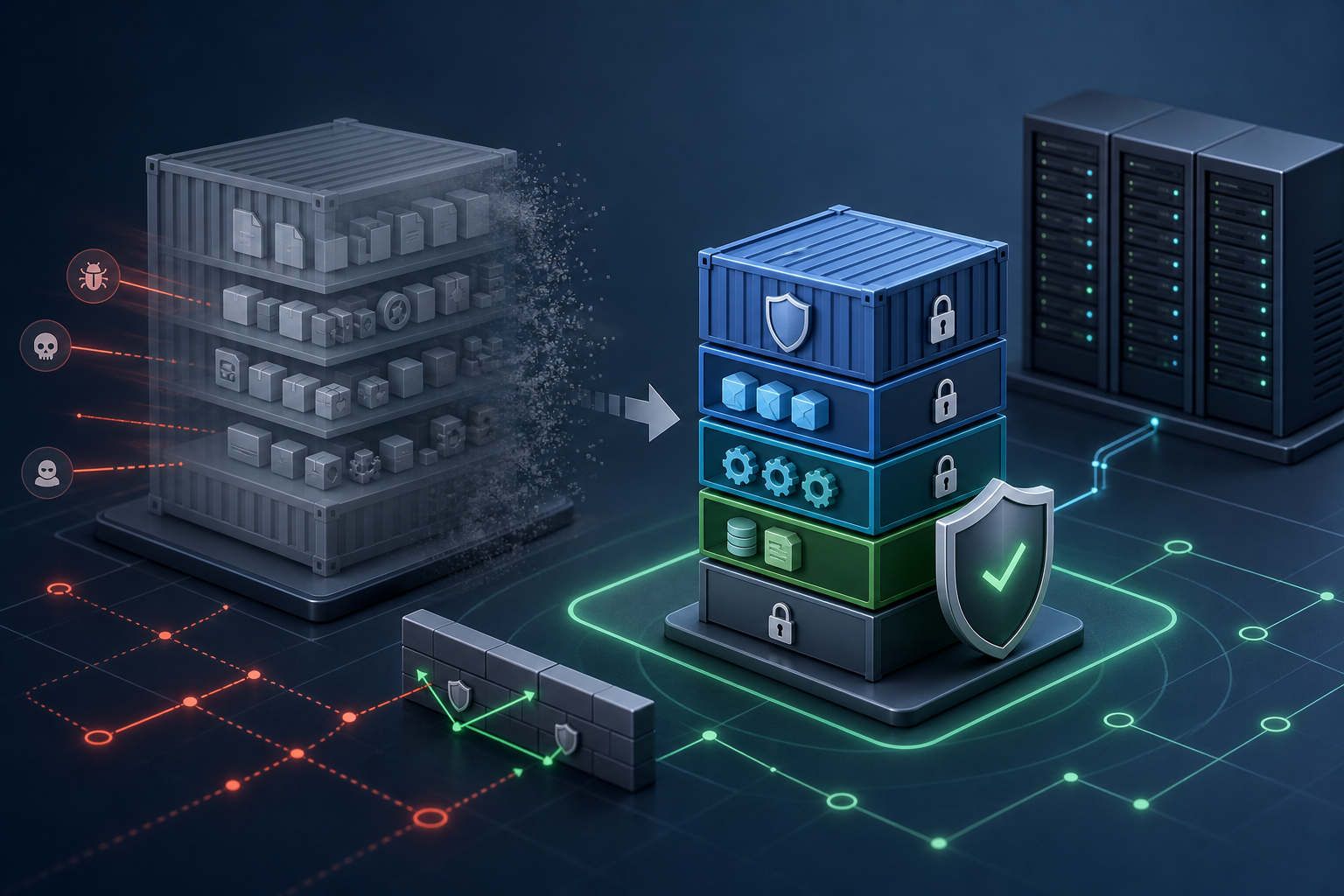
The practical problem with Docker runtime security is that a container can look compliant at build time and still be unsafe when it starts. A permissive runtime configuration can reintroduce host access, expand kernel attack surface, and make compromise easier even if the image was scanned or hardened earlier. This checklist helps you verify the live container settings that matter most before production use.
Use this checklist to confirm whether a workload is actually safe to run, capture evidence from the running container or its deployment manifest, and decide whether the runtime posture is acceptable for the workload’s risk level.
How to use this checklist
Review the checklist phase by phase, from workload scope to operational monitoring. For each item, capture proof from the Docker run command, Compose file, orchestration manifest, or container inspection output. If a check fails, treat it as a deployment blocker until you can explain the exception and document the compensating control.
A good review produces three things: verifiable evidence, a named owner for each control area, and a clear pass/fail decision. If a workload depends on version-specific behavior, verify that behavior on the exact Docker Engine, runtime, kernel, and base image combination you plan to ship.
1) Workload scope and runtime intent
Purpose
Confirm what the container is supposed to do and what it must not do. Runtime hardening only works when you know which permissions, files, ports, and host interactions are truly required.
Checklist items
- Confirm the workload’s primary function, entrypoint, exposed ports, and required external dependencies.
- Review whether the container is expected to run as a long-lived service, job, sidecar, or admin tool.
- Document the minimum host interactions the workload needs, including sockets, volumes, network access, and device access.
- Assign a risk owner who can approve any exception to least privilege.
- Validate that the image is intended for the runtime environment you are using, not just for local development.
Evidence to capture
- Runtime architecture notes or ticket reference
- Dockerfile, Compose file, or deployment manifest
docker inspectoutput for the running container- Approved exception record, if any
Acceptance criteria
- The workload purpose is clear and narrow.
- Required privileges are explicitly documented.
- Any expected deviation from hardened defaults is approved and justified.
Owner and review cadence
Owner: application or platform engineer. Review cadence: before first production deployment and after every material workload change.
Common mistakes
Teams often assume that a container can inherit the same permissions as a host process because it is “isolated.” In practice, unnecessary mounts, broad network access, and privileged execution are common failure points that should be treated as exceptions, not defaults.
2) Identity, user, and privilege controls
Purpose
Verify that the process inside the container does not run with more privilege than it needs. This is one of the highest-value runtime checks because many breakout paths and lateral movement techniques depend on excess privilege.
Checklist items
- Confirm the container runs as a non-root user unless a documented technical requirement prevents it.
- Validate that the image defines a dedicated user and group with the minimum required UID and GID.
- Review whether Linux capabilities are dropped by default and only added back when explicitly required.
- Confirm that privileged mode is disabled.
- Validate that host PID, host IPC, and host network modes are not enabled unless there is a documented operational need.
- Review whether the container can escalate privileges through
setuidbinaries, file capabilities, or inherited group membership. - Document any requirement for root execution, and assign an owner to re-evaluate it after remediation work.
Evidence to capture
docker inspectfields for user, capabilities, and namespace settings- Dockerfile
USERinstruction or equivalent manifest setting docker run/ Compose / orchestration configuration- Security exception record for any privileged requirement
Acceptance criteria
- The container runs as an unprivileged user by default.
- Only documented capabilities are granted.
- Host namespace sharing is absent unless explicitly approved.
Owner and review cadence
Owner: container platform engineer. Review cadence: at build-to-deploy promotion, then quarterly or after privilege-related changes.
Common mistakes
A common failure mode is setting a non-root user in the image but overriding it at runtime with an administrative entrypoint or a permissive orchestration policy. Another is granting --cap-add broadly because a single feature once failed without a root-cause analysis.
If you are also reviewing how the image itself is prepared, Docker Container Hardening: Securing Images and Runtime Settings can help separate image-level controls from runtime controls.
3) Linux capabilities and kernel attack surface
Purpose
Reduce the kernel-facing privileges available to the container process. Capabilities are often a safer alternative to full privilege, but they still expand the attack surface if left broad.
Checklist items
- Review the default capability set and confirm that unnecessary capabilities are dropped.
- Validate any added capability against a documented application requirement.
- Confirm that
SYS_ADMINis not used as a convenience substitute for a specific capability. - Review whether the workload can operate without
NET_RAW,MKNOD,AUDIT_WRITE, or other high-risk capabilities. - Test the container after capability reduction to confirm the application still starts and behaves as expected.
- Document the exact reason any capability must remain enabled.
Evidence to capture
- Capability list from runtime configuration or
docker inspect - Functional test result after capability reduction
- Change record explaining why a capability is needed
Acceptance criteria
- Only required capabilities remain.
- No broad capability is retained merely for compatibility.
- Capability changes are validated with a runtime test.
Owner and review cadence
Owner: security engineer with application owner input. Review cadence: whenever the application image, kernel, or container profile changes.
4) Filesystem, mounts, and data exposure
Purpose
Limit what the container can write to, read from, or mount from the host. File access is often the easiest path for persistence, secret theft, and configuration tampering.
Checklist items
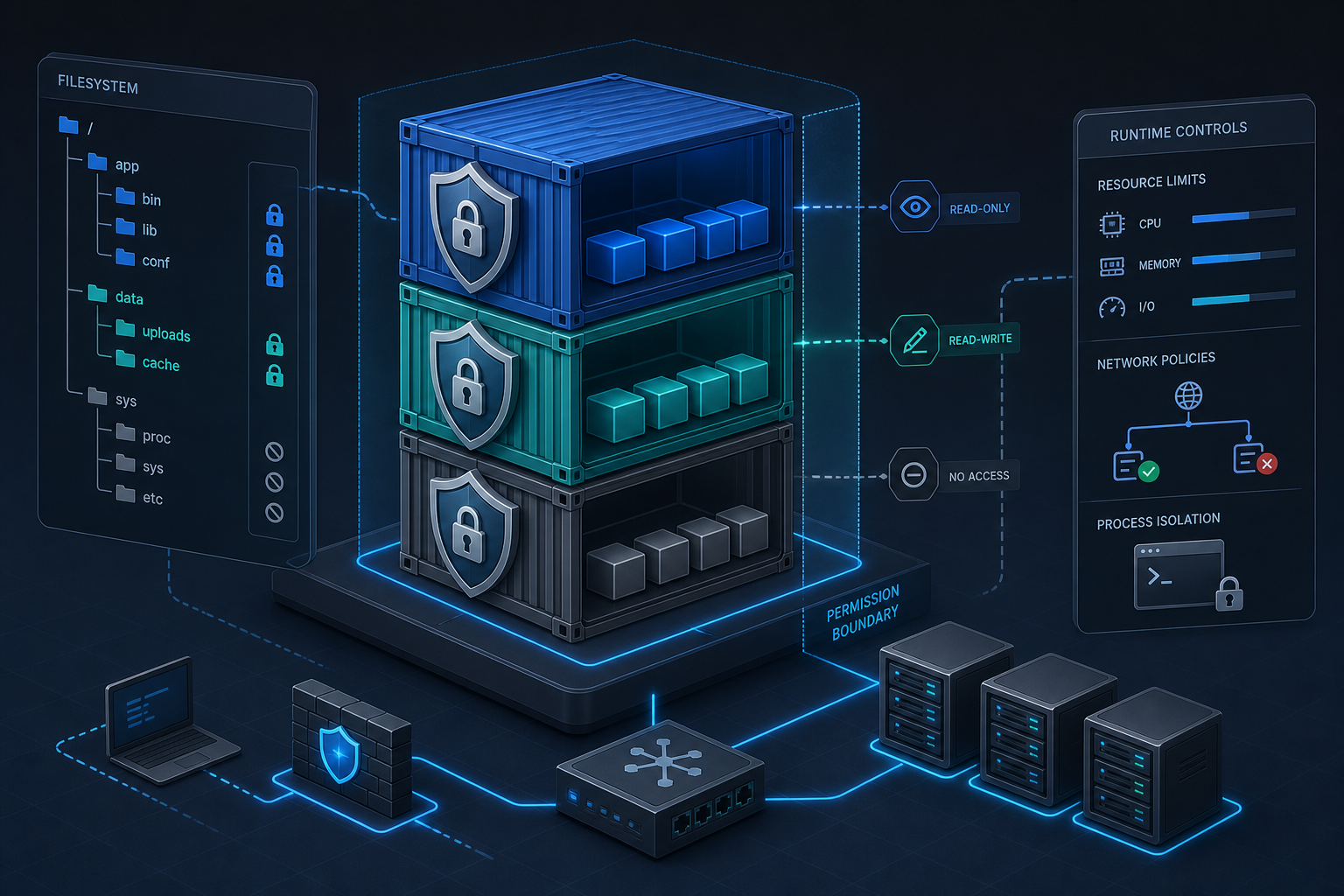
- Confirm the root filesystem is read-only unless the workload has a documented write requirement.
- Review each bind mount and validate that it is the narrowest path needed for the application.
- Validate that sensitive host paths such as
/,/proc,/sys, Docker sockets, and credential stores are not mounted into the container. - Confirm that writable paths are limited to dedicated volumes or tmpfs mounts with defined scope.
- Review whether mount propagation is disabled unless explicitly needed.
- Test that the application can still write only to approved locations when the root filesystem is read-only.
- Document any mount that exposes host data and assign an owner for periodic revalidation.
Evidence to capture
- Compose or deployment volume definitions
docker inspectmount list- Runtime test showing approved write paths only
- Exception record for any sensitive mount
Acceptance criteria
- No unnecessary host paths are exposed.
- Writable areas are explicit and minimal.
- Read-only root filesystem use is confirmed with application tests.
Owner and review cadence
Owner: platform engineer. Review cadence: before deployment and after any storage or file-path change.
Common mistakes
The most damaging mistake is mounting the container runtime socket or a broad host directory for convenience. A second common error is assuming a read-only root filesystem is enough while leaving a writable volume mounted at a path that contains executable content or configuration.
5) Network exposure and service boundaries
Purpose
Ensure the container only talks to the systems it needs and only exposes the ports it must serve. Runtime network controls reduce blast radius if the container is compromised.
Checklist items
- Confirm that only required container ports are exposed to the intended network segment.
- Review whether the workload can run on an isolated user-defined network instead of the default bridge.
- Validate that unnecessary outbound access is blocked at the host, firewall, or network policy layer where available.
- Confirm that service discovery does not reveal the container to unrelated workloads.
- Test the allowed inbound and outbound paths from the container to verify the documented allowlist.
- Document any required internet access, metadata access, or API reachability.
Evidence to capture
- Port mapping configuration
- Network policy or firewall rule set
- Connectivity test results from inside the container
- Service registration or discovery configuration
Acceptance criteria
- Only approved ports are reachable.
- Outbound access is scoped to the workload’s dependencies.
- Network controls match the documented runtime intent.
Owner and review cadence
Owner: network or platform security engineer. Review cadence: at deployment time and after any dependency or routing change.
6) Secrets, environment variables, and sensitive runtime data
Purpose
Prevent secrets from becoming visible through configuration, logs, process inspection, or broad file access. Runtime hardening should treat secret exposure as a first-class risk.
Checklist items
- Confirm that secrets are not baked into the image or committed into runtime manifests.
- Review whether environment variables contain sensitive values that should instead come from a secret store or file-based mount with narrow permissions.
- Validate that secrets are mounted only where needed and are not readable by unrelated processes in the container.
- Test whether the application logs or error output redact secret values.
- Document how secret rotation is handled without rebuilding the image where possible.
- Confirm that debug shells, admin sidecars, or support tooling cannot read production secrets by default.
Evidence to capture
- Secret delivery mechanism
- Permission settings on secret files or mounts
- Log sample showing redaction behavior
- Rotation procedure or runbook reference
Acceptance criteria
- Secrets are separated from static image content.
- Secret access is restricted to the intended process.
- Rotation and redaction are operationally defined.
Owner and review cadence
Owner: application owner with security review. Review cadence: every secret change and at least quarterly.
7) Seccomp, AppArmor, SELinux, and syscall filtering
Purpose
Reduce the impact of a container compromise by constraining which syscalls and mandatory access control rules apply at runtime. These controls are often the difference between a contained fault and a broader host impact.
Checklist items
- Confirm that a seccomp profile is enabled and appropriate for the workload.
- Review whether the default profile blocks any required application syscall before you relax it.
- Validate that mandatory access control is active on the host when the platform supports it.
- Test the application under the intended seccomp or MAC profile to confirm there are no hidden failures.
- Document every profile change and the runtime symptom that justified it.
- Assign ownership for profile maintenance when the application or kernel changes.
Evidence to capture
- Seccomp profile file or runtime reference
- AppArmor or SELinux mode and policy reference
- Test output showing successful start and normal function
- Change record for profile exceptions
Acceptance criteria
- Syscall filtering is enabled by default.
- Any relaxation is documented and tested.
- Platform MAC controls are active where supported.
Owner and review cadence
Owner: security engineer or platform engineer. Review cadence: after kernel, Docker Engine, or application update.
8) Resource limits, reliability, and abuse resistance
Purpose
Limit the damage a container can do through CPU, memory, disk, and process exhaustion. Runtime hardening is not only about privilege; it is also about preventing easy denial of service.
Checklist items
- Confirm that CPU, memory, and process limits are defined for the workload.
- Review whether file descriptor and task limits are appropriate for the service pattern.
- Validate that restart behavior is deliberate and does not mask crash loops.
- Test the container under expected load to ensure limits do not trigger false failures.
- Document whether the workload can survive eviction or restart without data loss.
Evidence to capture
- Runtime resource configuration
- Load or soak test result
- Restart policy and health-check behavior
- Incident runbook for resource exhaustion
Acceptance criteria
- Limits are present and justified.
- The workload remains stable under expected demand.
- Crash loops are observable rather than silently hidden.
Owner and review cadence
Owner: platform engineer. Review cadence: before production and after traffic profile changes.
9) Logging, monitoring, and runtime detection
Purpose
Make it possible to detect drift, misuse, and compromise after the container starts. A hardened runtime should still produce enough operational signal for investigation.
Checklist items
- Confirm that container logs are forwarded to the approved logging pipeline.
- Review whether security-relevant events such as start, stop, restart, and health-check failures are visible to operators.
- Validate that command execution, privilege changes, and mount changes are monitored where the platform supports it.
- Test an alert or audit query that would catch an unexpected privileged container or modified runtime setting.
- Document the escalation path for suspicious runtime behavior.
Evidence to capture
- Log pipeline configuration
- Monitoring query or alert rule
- Audit sample for a runtime change
- Escalation runbook
Acceptance criteria
- Operational logs are centrally available.
- High-risk runtime changes are observable.
- The response path is defined and owned.
Owner and review cadence
Owner: operations or security monitoring team. Review cadence: continuous monitoring with quarterly rule validation.
10) Final production gate and exception handling
Purpose
Make a clear go/no-go decision before production use. This phase prevents partial hardening from being mistaken for an acceptable security posture.
Checklist items
- Review all failed checks and document whether each one is fixed, accepted, or deferred.
- Confirm that compensating controls exist for every approved exception.
- Validate that the final runtime configuration matches the approved manifest or runbook.
- Test the container in a staging environment that mirrors production settings as closely as possible.
- Assign a review date for any temporary exception and document the rollback or remediation trigger.
- Approve production use only when the runtime posture matches the agreed risk tolerance.
Evidence to capture
- Completed checklist with pass/fail marks
- Exception register with owners and expiration dates
- Staging validation result
- Final approval record
Acceptance criteria
- No unowned exceptions remain.
- Compensating controls are explicit and validated.
- The runtime configuration is ready for production deployment.
Owner and review cadence
Owner: service owner and security approver. Review cadence: every production release and after any exception renewal.
Pass/fail criteria
Use a simple decision rule so the review is repeatable:
- Pass: All mandatory checks pass, and any exceptions are documented, time-bound, and compensated.
- Conditional pass: One or more non-critical checks fail, but the exception is approved and a remediation date is set.
- Fail: Any critical control is missing without approval, or a high-risk setting remains in place with no compensating control.
Treat privileged mode, unrestricted host mounts, and uncontrolled secret exposure as high-risk failures unless there is a clearly documented, reviewed, and temporary justification.
Readiness and maturity scoring
A simple score helps compare services and track improvement over time. Score each phase from 0 to 2:
- 0 = not implemented or not verifiable
- 1 = partially implemented, but evidence or ownership is incomplete
- 2 = implemented, verified, and owned
Scoring guide:
- 0–8: Not ready for production without remediation
- 9–14: Partially hardened; acceptable only with approved exceptions
- 15–20: Strong runtime posture; suitable for production with normal monitoring
If you need a more structured hardening workflow, Docker Container Security Hardening: Step-by-Step Tutorial provides a practical sequence that complements this checklist.
Final review notes
A hardened Docker runtime is not a single setting; it is the cumulative result of narrow privileges, limited mounts, controlled network reach, tested mandatory access controls, and monitoring that can prove the configuration stayed intact. Use this checklist as a deployment gate, not as a one-time audit artifact.
Before production use, make sure every control has a named owner, a testable acceptance criterion, and evidence that matches the live container configuration. That is the difference between a box-ticking exercise and a runtime posture you can defend.
Use this guidance together with vSphere Distributed Switch security policies and EC2 instance recovery to connect the workflow with related operational context already available on the site.