Why container hardening matters operationally
The practical problem behind Docker container hardening is not whether a container can run, but whether it can run safely when an image is compromised, a dependency is exploited, or a workload behaves unexpectedly. In production, a container usually inherits host access, network reachability, secrets, and automation privileges. If the image is oversized or the runtime is too permissive, the attack surface expands well beyond the application itself.
Hardening matters because containers are often treated as immutable and disposable, which can lead teams to overlook the controls that still apply. A container image can carry unnecessary tools, insecure defaults, stale packages, embedded credentials, and extra libraries that are never used at runtime. The runtime can also allow privilege escalation, writable paths that should not exist, broad network access, and capabilities that are unnecessary for the workload. The result is not just higher security risk; it is also harder incident response, less predictable behavior, and more drift between environments.
After reading this article, you should be able to decide whether Docker container hardening is appropriate for a given workload, understand how image controls and runtime controls complement each other, apply a practical validation workflow, and verify what must be checked before production use.
Key takeaways
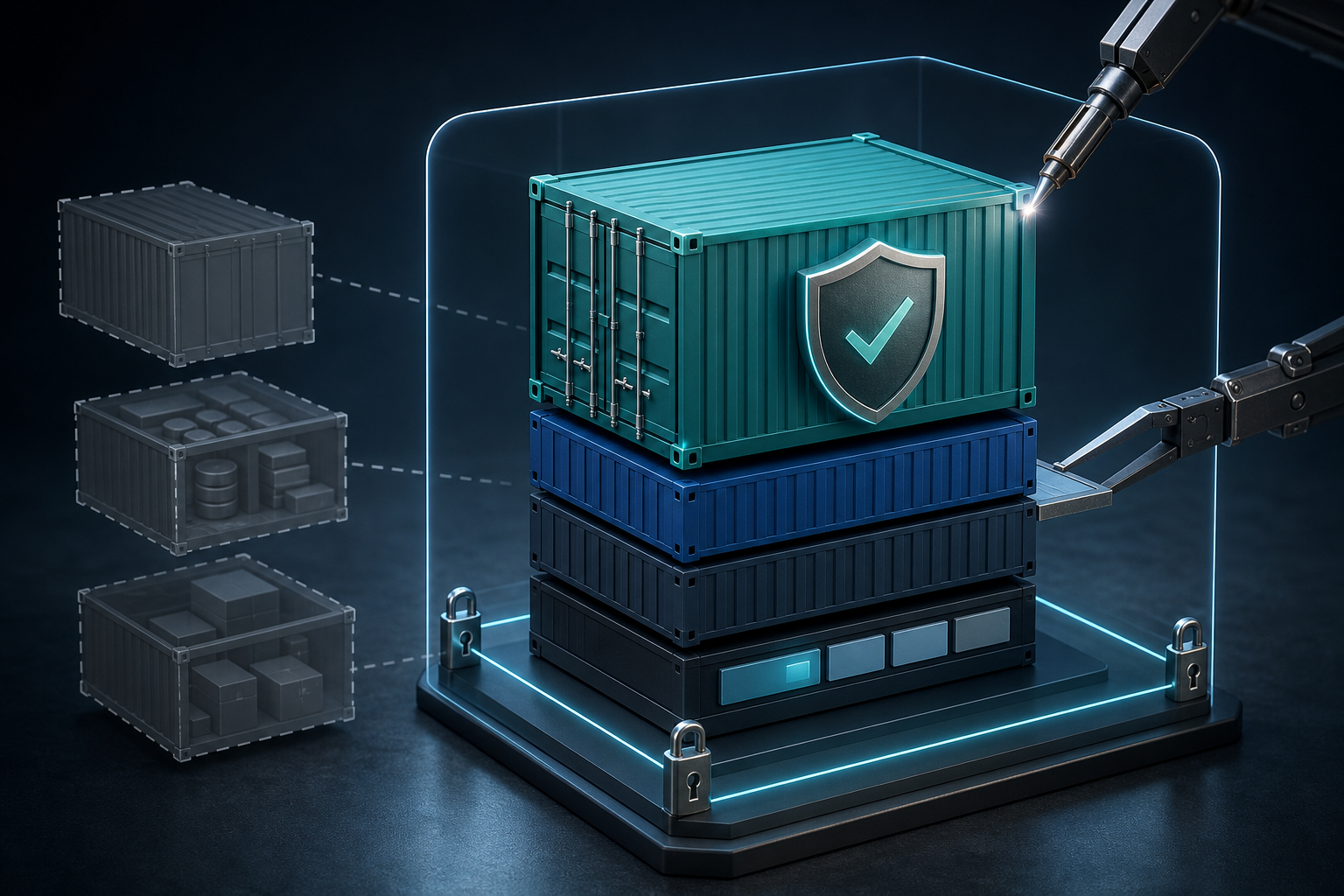
Docker container hardening is most effective when it is treated as a layered control set rather than a single setting. Image hygiene lowers the chance that a vulnerable or bloated artifact reaches production, while runtime restrictions limit what a container can do if it is started successfully.
A hardened container typically has three traits: it starts from a minimal and verified base image, it runs with the least privileges required, and it is constrained by filesystem, capability, network, and secret-handling controls. None of those controls is sufficient alone. The image may be clean but the runtime may still be too permissive, or the runtime may be locked down while the image still contains unnecessary tools and data.
Operationally, the best hardening decisions are the ones that preserve application function while reducing blast radius. That usually means identifying the container’s actual runtime dependencies first, then removing what is not required, and finally validating the result under representative traffic and failure conditions.
How image hardening and runtime controls work together
Container hardening starts with the image because the image is the artifact you promote, replicate, and inspect across environments. If the image contains package managers, shells, compilers, debug tools, or unused certificates and libraries, an attacker who gains code execution has more options. A smaller image also makes inventory and scanning easier because there is less software to assess.
If you need a deeper image-focused treatment, Docker Container Security Best Practices for Image Hardening covers the mechanics of reducing image attack surface in more detail. The main idea is simple: choose a minimal base, remove build-time dependencies from runtime layers, and make sure the final image contains only what the process needs to execute.
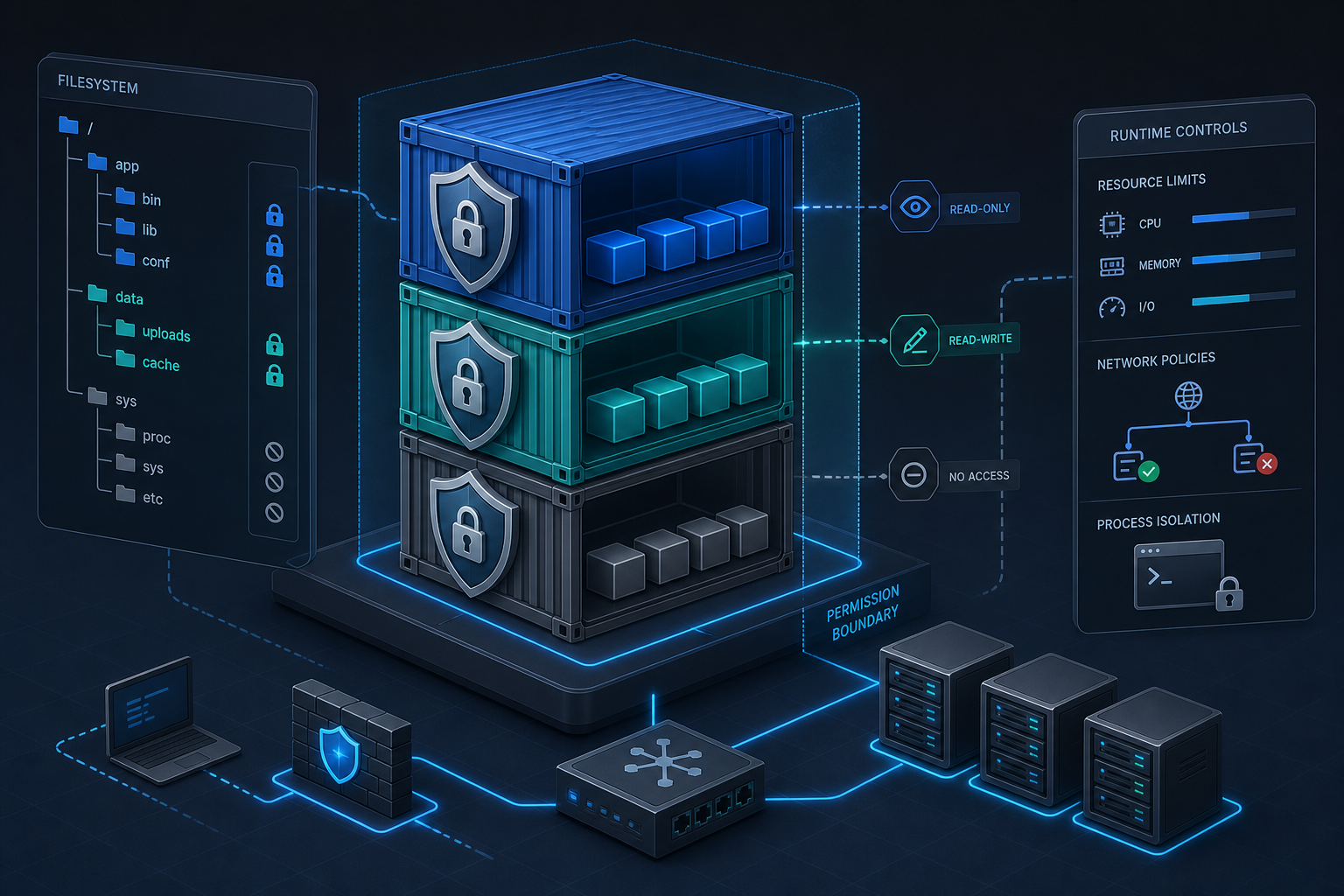
Runtime controls are the second half of the model. They govern what the container can access after startup. This includes the user identity inside the container, Linux capabilities, seccomp or other syscall filtering, writable filesystem paths, mount points, network exposure, and access to host resources. These controls matter because a clean image can still be abused if the runtime lets the process modify system paths, acquire privileged capabilities, or reach sensitive files and sockets.
The important operational distinction is that image hardening reduces what is shipped, while runtime hardening reduces what is possible. In a well-controlled deployment, both are enforced because each compensates for the limits of the other.
A practical workflow for container hardening
1. Confirm the workload's required binaries, ports, files, and permissions
2. Build a minimal image and remove build-only tools from the final layer
3. Run the container as a non-root user unless the workload proves otherwise
4. Drop unnecessary Linux capabilities and keep the filesystem mostly read-only
5. Mount only the directories that must be writable
6. Restrict network exposure and secrets to the smallest practical scope
7. Validate application startup, logs, writes, updates, and failure modes
8. Record the approved runtime profile for production deployment
This workflow is intentionally compact because hardening fails when it becomes abstract. The goal is to produce a container profile that can be reproduced by infrastructure automation and verified by operators. You should be able to explain why each permission exists and what would break if it were removed.
A good validation habit is to test the container under the same identity and configuration it will use in production. If the application writes to /tmp, caches runtime state, or needs temporary sockets, those behaviors should be visible during testing. Hardening should not be a guess about what might be safe; it should be a measured reduction in privileges based on observed application behavior.
What to harden in the image
The image is the easiest place to reduce attack surface because it is deterministic and build-time controlled. Start by asking which packages and tools the process actually needs at runtime. Many production containers inherit tools that were useful during troubleshooting or compilation but have no place in the final artifact.
A hardened image usually avoids unnecessary shells, package managers, and compilers in the runtime stage. It also avoids carrying secrets, SSH keys, or environment files that are better injected at deploy time. If the application is static or can run on a smaller runtime image, that choice usually improves both security and operational clarity.
You should also verify image provenance and update discipline. A minimal image that is never refreshed can still accumulate stale dependencies. Likewise, a container built from a familiar base image may inherit packages you did not intend to ship. Image scanning and digest pinning help here, but they work best when paired with a build process that can be reproduced and reviewed.
For many teams, a secure image strategy and runtime hardening are easier to adopt together than separately. If your environment needs a practical implementation view, How to Harden Docker Containers with Security Best Practices aligns image hygiene with least privilege and runtime restrictions in a deployment-oriented flow.
What to harden at runtime
Runtime hardening is about making the container behave like a constrained application process rather than a lightweight VM with broad access. The most visible control is the user identity. Running as non-root reduces the impact of many file and process abuse paths, especially when paired with correctly owned application directories.
Linux capabilities are another important lever. Containers often do not need the full set of privileges that a default runtime permits. Dropping capabilities that are not explicitly required can prevent classes of escalation and host interaction. The same logic applies to seccomp and other syscall controls: if the process does not need a syscall family, the runtime should not allow it by default.
Filesystem controls are especially valuable because many workloads only need a few writable locations. A read-only root filesystem, with explicit writable mounts for application state, logs, or caches, helps contain accidental writes and limits persistence if the container is compromised. If this model fits your workload, How to Secure Docker Containers with Read-Only Filesystems explains the filesystem side of that design in more depth.
Network exposure should also be minimized. Containers should listen only on required ports, publish only necessary interfaces, and avoid service discovery or outbound connectivity that is not part of the workload's design. Secret handling matters as well: credentials should be injected from the environment or a secret store only where required, and they should not be duplicated across layers, files, or baked-in config.
Practical scenario: a web API that needs logs and a cache
Consider a containerized web API that serves traffic behind a reverse proxy. It needs to read a configuration file, write temporary cache data, and emit logs to stdout. It does not need a shell, package manager, interactive debugging tools, or broad filesystem writes. It also does not need to open privileged ports or manage host devices.
This is a common profile because the application appears simple, but the runtime still accumulates risk through defaults. A default container may start as root, keep the root filesystem writable, and inherit capabilities that the API never uses. If the image also includes extra utilities for convenience, an attacker who reaches code execution gets more lateral movement options than the application actually requires.
In this scenario, a hardening decision is straightforward. The image should be reduced to the runtime dependencies the API needs. The container should run as an unprivileged user, mount only the cache or scratch path that must be writable, expose only the application port, and keep any secrets isolated from the image layers. That combination usually preserves function while materially reducing the consequences of a compromise.
Trade-offs and implementation limits
Hardening is not free, and the right balance depends on workload type. Some applications are straightforward to lock down because they are stateless and write almost nothing to disk. Others need runtime package installation, dynamic plugins, or temporary filesystem access that complicates minimal-image strategies.
A read-only filesystem can reveal hidden application assumptions, but it may also force changes to logging, caching, or temp-file handling. Dropping capabilities improves containment, but if the workload truly requires a capability, removing it can break startup or obscure a legitimate operational requirement. Running as non-root is preferred in most cases, but some legacy software still assumes privileged ownership of directories or ports and may need refactoring before the control is practical.
Another trade-off is observability. Aggressive hardening can make diagnosis harder if teams rely on shell access inside the container or on mutable state that disappears on restart. That is not a reason to avoid hardening, but it is a reason to replace ad hoc inspection habits with structured logging, health checks, and external telemetry.
The decision rule is simple: if a control removes no required function, keep it; if it removes a required function, fix the application or compensate with a narrower alternative. The aim is not to make the container exotic; it is to make the security model explicit.
What this means in practice
In practice, Docker container hardening is less about one “secure” image and more about making runtime assumptions visible and enforceable. When a team says a container is hardened, that should mean they can explain the base image choice, the non-root identity, the writable paths, the dropped capabilities, and the reason each remaining exception exists.
It also means the build and deployment pipeline should preserve those decisions. A hardened container image that is later run with privileged flags or broad host mounts is not actually hardened in production. Likewise, a tightly restricted runtime profile is only effective if the image and deployment manifests do not reintroduce unnecessary packages, secrets, or permissions.
For operators, the practical benefit is repeatability. Hardened containers are easier to reason about during incidents because there are fewer mutable components and fewer implicit privileges. For security teams, the benefit is a clearer control boundary: the image is a known artifact, and the runtime policy becomes a verifiable contract instead of an assumption.
Decision guidance: when to harden more aggressively
Not every container needs the same level of restriction. A long-lived API exposed to untrusted traffic deserves more aggressive hardening than an internal one-shot job that runs in a tightly controlled environment. The exposure model should drive the control set.
Harden more aggressively when the container:
- Faces external or semi-trusted traffic
- Handles credentials, tokens, or customer data
- Has a broad dependency tree or frequent third-party updates
- Runs in shared infrastructure with multiple tenants or teams
- Can meaningfully damage host state, other services, or regulatory posture if compromised
Be more selective when the container:
- Performs short-lived batch work with tightly scoped inputs
- Is already constrained by upstream orchestration and network policy
- Requires unusual filesystem or process access that would make strict controls brittle
- Is maintained by a legacy application team that needs a phased migration path
The best decision is usually progressive hardening rather than all-at-once restriction. Start with obvious excess, verify the functional impact, and then tighten further where the workload proves it can tolerate the change.
Common mistakes
One common mistake is assuming a small image is automatically secure. Size reduction is useful, but it does not replace user isolation, capability reduction, or secret hygiene. A tiny image that runs as root with a writable filesystem can still be dangerous.
Another mistake is hardening the image but leaving the runtime permissive. If a container starts with elevated privileges, broad mounts, or unrestricted network access, the image work only solves part of the problem. The inverse is also true: a locked-down runtime cannot compensate for a chaotic image that carries unnecessary tools and stale dependencies.
A third mistake is failing to validate write paths before forcing a read-only or minimal-permission setup. If the application silently expects to write to locations outside its approved path set, the failure may appear only after deployment. Validation should include startup, normal request handling, log emission, cache usage, and graceful restart behavior.
A fourth mistake is relying on manual container edits or one-off overrides. Hardening belongs in the image build and deployment definition, not in an operator’s memory. If the control set is not encoded, it will drift.
Compact production readiness checklist
Use this as a final verification pass before a hardened container enters production:
- The final image contains only runtime-required binaries and files
- The container runs as a non-root user unless a documented exception exists
- Unnecessary capabilities are dropped or explicitly justified
- The root filesystem is read-only or tightly constrained where appropriate
- Writable paths are mounted intentionally and tested under load
- Secrets are not baked into the image and are injected with least scope
- Network exposure is limited to the required ports and destinations
- Health checks, logs, and restart behavior still work after hardening
- The deployment manifest matches the approved runtime profile
- The team has documented any exceptions and the reason they are acceptable
If these items are not verifiable, the container is not yet production-ready, even if it starts successfully.
Final takeaway
Docker container hardening is about reducing the amount of trust a container needs to function. Secure images lower the chance that dangerous software reaches production, and runtime controls limit what a container can do if something goes wrong. The safest practical approach is to harden both layers, validate the workload against its real dependencies, and keep only the exceptions you can justify and enforce.
Use this guidance together with Hyper-V VM network latency to connect the workflow with related operational context already available on the site.