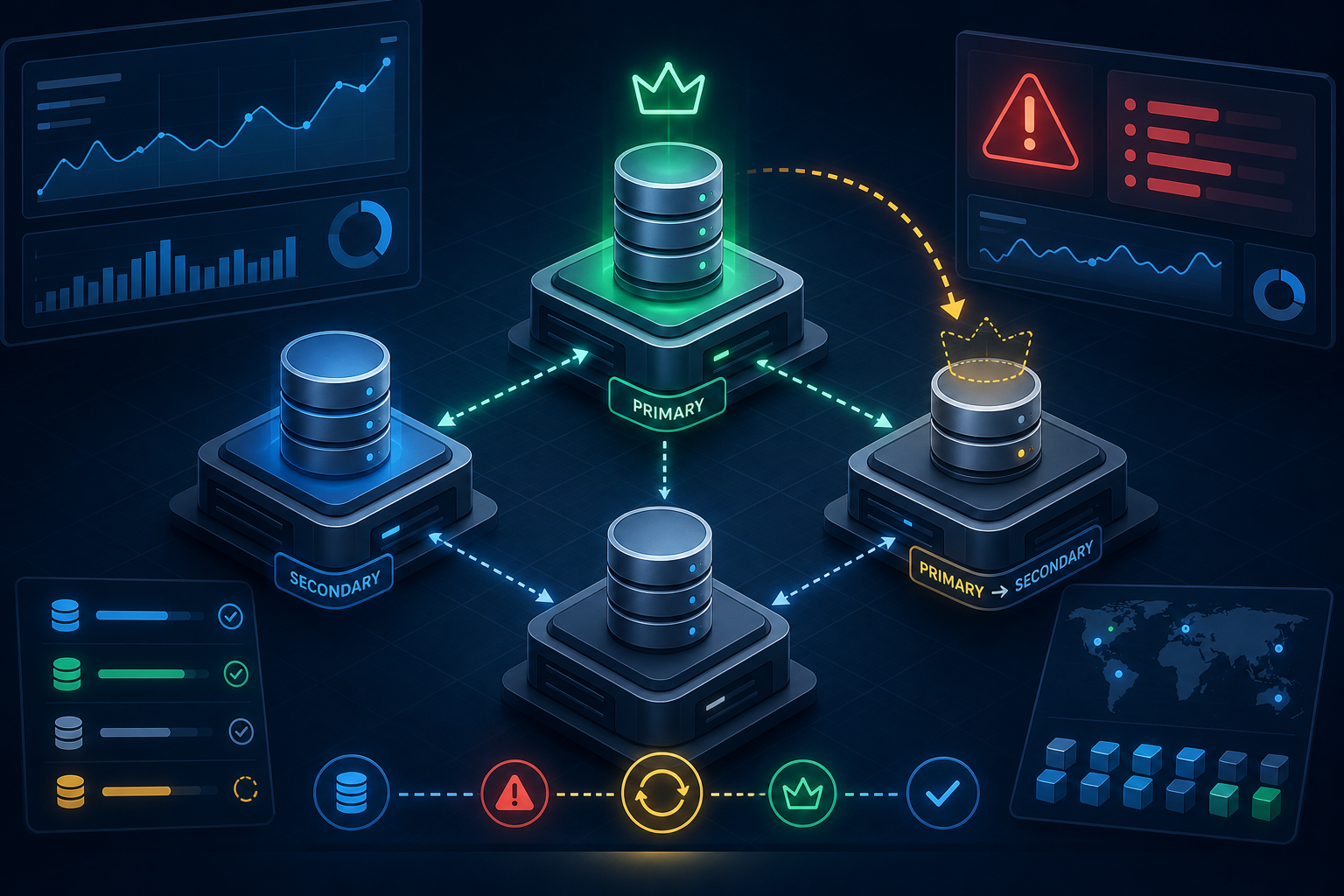
Why replica set failover matters
A single MongoDB node is a single point of failure. If that node stops, every write stops and reads may fail depending on your application topology. A replica set removes that dependency by keeping multiple copies of the data and electing a new primary when the current primary becomes unavailable.
This tutorial shows how to build a practical MongoDB replica set, configure the members for automatic failover, and validate that elections and data replication behave as expected. By the end, you will know how to decide whether a replica set design fits your environment, how to implement it safely, and what to verify before using it in production.
What you will build
You will set up a three-member replica set with one primary and two secondaries. The final state should have:
- a defined replica set name across all members
- unique hostnames or addresses for each member
- one voting primary and at least one secondary eligible for election
- working replication and automatic failover
- validation steps that confirm the set can recover from a primary outage
If you are also enabling authentication or transport security, finish that first or coordinate it as part of the rollout. A replica set can work without those controls, but production deployments should not. If you need that layer as well, review How to Secure MongoDB with TLS Authentication and RBAC before you expose the cluster to real traffic.
Prerequisites and stop-here checks
Goal
Confirm that your environment can support a stable replica set before you change any server configuration.
Action
Check these prerequisites first:
- At least three MongoDB instances or servers are available.
- Each instance can resolve and reach the others on the MongoDB port.
- System clocks are reasonably synchronized.
- Disk space is sufficient for the working dataset plus journal and oplog growth.
- You know which node will start as the first primary.
- You have administrative access to each host.
For production use, place the members on separate failure domains where possible: different availability zones, racks, hosts, or physical nodes. Do not run all members on the same machine and call it fault tolerant.
Expected output
You should be able to name each member, identify their network addresses, and confirm they can connect to one another.
Validation
Run basic connectivity checks from each node:
nc -vz mongo1.example.net 27017
nc -vz mongo2.example.net 27017
nc -vz mongo3.example.net 27017
Also verify name resolution from each node if you are using hostnames in the replica set configuration.
Common failure
- Hostnames resolve differently on different nodes
- Firewalls block the MongoDB port between members
- Clocks are skewed enough to complicate logs and incident response
- The dataset is too large for the disk budget after replication overhead
Stop-here-if warning
Stop here if the nodes cannot reach each other reliably or if you cannot commit to separate failure domains. A replica set with network partitions or shared infrastructure failures can still lose availability.
Prepare each MongoDB node
Goal
Make sure every member is configured consistently before initiation.
Action
On each node, confirm that MongoDB is installed and that the database path and log path are correct. Then edit the MongoDB configuration file so each instance uses a replica set name.
A typical configuration includes the storage path, log settings, network binding, and replica set name. The exact file path depends on your installation and operating system, but the key setting is the same on every member:
replication:
  replSetName: rs0
Keep the replica set name identical on all members. Use hostnames or IP addresses that clients and other members can reach consistently.
If you are following a secure rollout, make sure the security baseline is already in place. It is often safer to enable authentication and TLS before production traffic begins, especially when other internal services will connect automatically. If you need a practical rollout sequence for authorization controls, see How to Enable MongoDB Role-Based Access Control Securely.
Expected output
Each node should start with the same replica set name and a reachable address.
Validation
After starting or restarting MongoDB on each node, check the logs for a clean startup and no replica-set-name mismatch errors.
Common log symptoms include:
- configuration file parsing errors
- storage path permission problems
- bind address errors
- mismatch between configured and advertised hostnames
Common failure
The most common mistake is using localhost or an internal-only name in the member configuration. That can work for local tests and fail immediately when another node or a client needs to reach the instance.
Initiate the replica set
Goal
Create the replica set membership definition and establish the first primary.
Action
Connect to one MongoDB node and initiate the replica set with all intended members.
Example using the shell:
rs.initiate({
  _id: "rs0",
  members: [
    { _id: 0, host: "mongo1.example.net:27017" },
    { _id: 1, host: "mongo2.example.net:27017" },
    { _id: 2, host: "mongo3.example.net:27017" }
  ]
})
If the environment requires a staged rollout, you can initiate with one node first and then add the others. That is useful when you want to validate connectivity and permissions incrementally.
Expected output
The replica set should elect a primary automatically after initiation. One member should report PRIMARY, while the others report SECONDARY.
Validation
Check status from the shell:
rs.status()
Look for:
- one member with
stateStr: "PRIMARY" - the other members with
stateStr: "SECONDARY" - no prolonged
STARTUP,RECOVERING, orUNKNOWNstates - heartbeat messages exchanged without repeated failures
You can also use:
rs.isMaster()
or the newer equivalent command available in your version to confirm the current primary from the client perspective. Because command names and outputs can vary by MongoDB version, verify the exact shell syntax for the version you run.
Common failure
- The replica set never elects a primary because members cannot reach each other
- The hostnames in the config do not match the addresses the nodes advertise
- One member rejects replication because of authentication or keyfile mismatch
- The initiation command includes a typo in the replica set name
Validate replication before testing failover
Goal
Confirm that data written to the primary is replicated to secondaries before you test failure behavior.
Action
Insert a small test document into a database and then read it from the replica set after a brief delay.
Example:
db.replica_test.insertOne({
  createdAt: new Date(),
  note: "replication check"
})
Then query the collection on a secondary using a read preference appropriate for that test or by connecting directly to the secondary if your access policy allows it.
Expected output
The inserted document appears on the secondaries after replication catches up.
Validation
Use replica set status and replication lag checks to confirm members are current enough for your recovery objective. In operational terms, a secondary that is perpetually behind cannot serve as a trustworthy failover target.
Check for:
- normal heartbeat traffic
- oplog application on secondaries
- no steady growth in replication lag
- no disk or CPU bottleneck delaying replication
Common failure
- Heavy load or slow disks delay replication
- Network latency causes secondaries to fall behind
- A secondary is healthy enough to stay in the set but too stale to be useful during a failover
Test automatic failover safely
Goal
Prove that the replica set can elect a new primary when the current primary becomes unavailable.
Action
Choose a maintenance window and stop the primary node deliberately. Use a controlled stop so you can observe the failover sequence.
For example, on a system using systemd:
sudo systemctl stop mongod
Then watch the replica set from another member or from a client session. The remaining nodes should hold an election and promote a secondary to primary.
Expected output
Within a short election window, one of the surviving members becomes the new primary and the set continues accepting writes.
Validation
Check all of the following:
- the old primary leaves the set or becomes unreachable
- one secondary transitions to PRIMARY
- clients reconnect or retry successfully if they are replica-set aware
- writes succeed once the election stabilizes
You should also confirm that the client connection string uses multiple members and the replica set name. A single-host connection string can hide failover problems because the client has nowhere else to go.
Common failure
- The remaining members are not eligible to become primary
- The election fails because a majority of voting members is unavailable
- The client does not retry and appears down even though the set still has a new primary
- A firewall or routing issue blocks the failover path
Stop-here-if warning
Do not run this test in production without a maintenance window and an explicit rollback plan. Primary shutdowns are safe only if your application has been tested for replica-set-aware reconnect behavior.
Recover the stopped node and confirm rejoin behavior
Goal
Make sure a restarted node rejoins as a secondary and catches up cleanly.
Action
Start the stopped MongoDB service again. The node should resync if needed and rejoin the set as a secondary unless another election changes the topology.
sudo systemctl start mongod
Expected output
The restarted member should show SECONDARY after catch-up completes. If it was elected primary during a longer outage, the final state may differ, but the node should be a healthy voting member.
Validation
Use rs.status() and inspect logs for:
- clean rejoin
- no repeated rollback errors
- no sync source failure
- no authentication or certificate problems during reconnect
Common failure
- The node was offline long enough to require a full resync
- A stale configuration causes the node to refuse the set identity
- Disk space is insufficient for resync or rollback files
- The node rejoins but cannot catch up because of network or storage issues
Operational follow-up after failover setup
Goal
Turn a working test setup into something reliable enough for routine operations.
Action
Document the replica set membership, voting arrangement, and expected failover behavior. Make sure your monitoring covers:
- primary state changes
- replication lag
- election frequency
- disk utilization
- memory pressure
- network connectivity between members
If your environment uses enforced authentication, confirm that administrative access and application access both still function after an election. A failover that works at the database layer but breaks authorization is still an outage. For broader guidance on identity and access design, MongoDB Authentication and Authorization Best Practices is a useful companion reference.
Expected output
You have a documented and observable replica set that can survive a single-node failure without manual intervention.
Validation
Review these acceptance criteria before considering the setup production-ready:
- the replica set has a stable primary and at least one healthy secondary
- failover completes within your operational tolerance
- applications reconnect successfully after a primary change
- monitoring alerts fire on primary loss, replication lag, and member unreachability
- backups and restore procedures are aligned with the replica set topology
Common failure
- Monitoring only checks process uptime, not election state
- Backups are configured on a single member without considering failover behavior
- DNS or network changes break member-to-member communication later
- The cluster was validated once but never retested after topology or version changes
A practical production checklist
Before you promote the cluster for regular use, confirm the following in one review:
- all members use the same replica set name
- each host address is reachable from the other members and from clients
- the replica set has a majority-voting path for elections
- replication catches up after normal writes
- election testing was performed in a controlled window
- security controls are enabled or scheduled as part of the rollout
- monitoring and alerting are in place for state changes and lag
If every item checks out, you have more than a running cluster: you have a replica set that can actually fail over in a controlled, observable way.
Final takeaway
A MongoDB replica set is only operationally useful when it is configured consistently, validated under failure, and monitored after deployment. If you can initiate the set, verify replication, force a controlled primary loss, and observe a clean election, you have proven the core failover path. Keep the validation evidence, rerun the checks after topology changes, and treat member reachability and election behavior as production requirements rather than one-time setup tasks.