Why branch merge conflicts need a safe workflow
A Git merge conflict in a branch becomes risky when people try to fix it quickly without checking the branch state, the merge base, or whether the branch is shared. In a production workflow, a bad conflict resolution can silently drop code, reintroduce removed changes, or create a merge commit that looks correct but behaves incorrectly at runtime.
This tutorial shows a safe, repeatable way to resolve Git merge conflicts in branches without rewriting shared history. By the end, you will be able to decide whether a merge is safe to perform, resolve the conflict with controlled edits, validate the result before pushing, and verify what changed before other engineers consume it.
If you are still choosing between merge and rebase for branch integration, it helps to understand the history tradeoff first. In many teams, merge is the safer default for shared branches, while rebase is better suited to local cleanup before publication. See Git Rebase vs Merge: Resolve History Conflicts Safely for the decision boundary.
What you should have before you start
Goal
Make sure the branch is in a state where conflict resolution is safe and reviewable.
Action
Before merging, confirm the following:
- You have a clean working tree or a saved stash.
- You know which branch is being merged into which target branch.
- The target branch is up to date locally.
- You understand whether the branch is shared with other engineers.
- You have a way to validate the result, such as tests or a build step.
A practical preflight check looks like this:
git status
git fetch origin
git checkout target-branch
git pull --ff-only origin target-branch
Expected output
You should end with a clean working tree on the branch that will receive the merge, and your local target branch should match the remote tip.
Validation
Run git status again before merging. It should report no uncommitted changes.
Common failure
The most common unsafe starting point is a dirty working tree. If you merge from that state, you can no longer tell whether later changes came from the merge or from unrelated local edits.
Stop here if
Stop if the branch contains emergency changes that have not been committed, if the repository has unreviewed local edits, or if you are unsure whether a rebase already rewrote the same commits. Resolve that first; do not merge through uncertainty.
Inspect the conflict before editing anything
Goal
Identify exactly which files and lines are in conflict and why.
Action
Start the merge normally and let Git mark the conflict areas:
git merge feature-branch
If Git reports conflicts, inspect them rather than editing immediately:
git status
git diff --merge
Open each conflicted file and examine the conflict markers. Git will usually show a current branch section, an incoming branch section, and separator markers.
Expected output
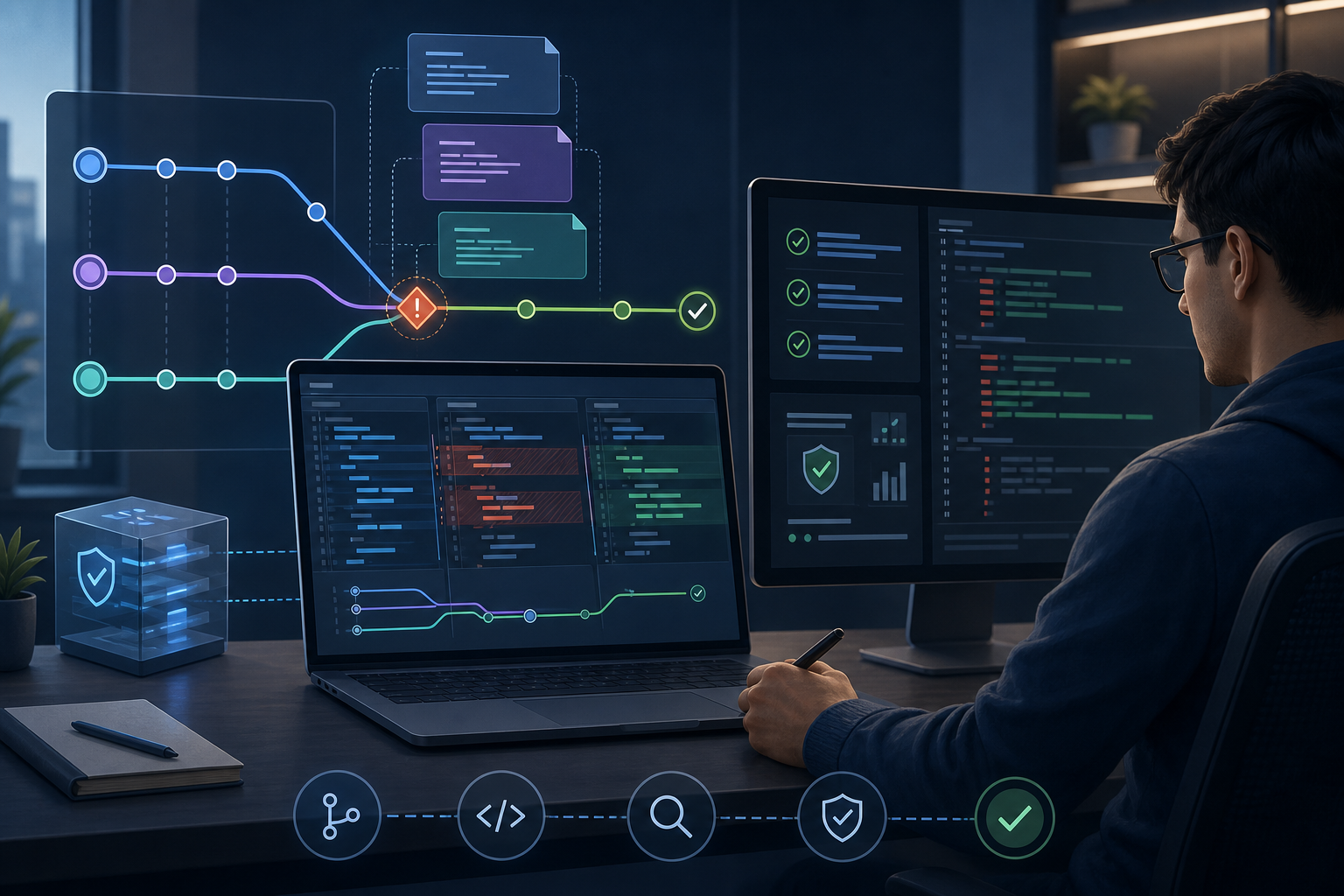
You should know which files are affected and whether the conflict is a simple overlap, a rename/content conflict, or a semantic conflict where both sides compile but only one logic path should survive.
Validation
For each file, answer three questions before editing:
- What did the target branch change?
- What did the source branch change?
- Should both changes survive, or only one?
If the answer is unclear, inspect the commit history around the file before resolving.
Common failure
A frequent mistake is to remove conflict markers by keeping whichever block looks more recent. That can discard important security checks, configuration values, or dependency updates.
Resolve the conflict deliberately
Goal
Produce a correct merged file that reflects the intended behavior, not just syntactically valid text.
Action
Edit each conflicted file and resolve the sections manually. Keep both changes when they are compatible. Prefer the branch that contains the authoritative change when only one side should remain. If the conflict affects code, keep behavior consistent with adjacent functions, imports, and tests.
For small textual conflicts, a resolved file might look like this:
function validateInput(value) {
  if (!value) {
    return false;
  }

  return isAllowed(value) && hasRequiredFormat(value);
}
After editing, remove all conflict markers and save the file.
If the conflict came from a branch that should have been cleaned up first, consider whether the branch would have been easier to integrate by rewriting only the local history before publication. For local-only work, How to Use Git Rebase to Clean Up Commit History can help reduce unnecessary merge noise, but do not rebase branches that other people have already built on unless your team explicitly allows that workflow.
Expected output
The conflicted file is readable, free of markers, and expresses the intended merged behavior.
Validation
Re-scan the file for conflict markers:
git diff --check
Also search for unresolved markers in the working tree if the repository is large:
git grep -n "<<<<<<<\|=======\|>>>>>>>"
Common failure
A subtle failure is resolving conflicts in a way that compiles but changes behavior. For example, choosing one side's parameter validation and the other side's error handling can create inconsistent runtime paths that only appear under load or unusual input.
Verify the merge result before committing
Goal
Confirm that the merged branch behaves as expected and that nothing was accidentally removed.
Action
After all conflicts are resolved, stage the files and review the merge result:
git add <resolved-files>
git diff --cached
Then run the smallest useful validation set for the repository:
- unit tests for affected modules
- build or compile checks
- linting or static analysis
- targeted integration checks if the branch touches shared interfaces
If the repository has a known test command, use it. If not, at least run the checks that would detect missing imports, syntax errors, or altered control flow.
Expected output
The staged diff should show only the intended conflict resolutions, and validation should complete without new errors.
Validation
Review the staged patch line by line before committing. Pay special attention to:
- removed lines that may have been necessary
- duplicated blocks created during manual editing
- changes to config defaults, feature flags, or environment variables
- renamed files that may need import updates
Common failure
The most common validation miss is assuming that a successful merge means correctness. Git only guarantees that the text merged; it does not guarantee that the resulting application logic is safe.
Commit the merge and preserve traceability
Goal
Record the merge in a way that other engineers can review and audit.
Action
Finish the merge with a clear commit message:
git commit
Use a message that identifies the source branch and the purpose of the merge. If your workflow requires a merge commit, keep it. Avoid squashing a shared merge unless your team has agreed to that practice.
If the branch contains a bad commit rather than a conflict, it may be safer to revert that change than to force a rewrite. For that scenario, How to Revert a Git Commit Without Losing History is the safer operational pattern.
Expected output
You should have a merge commit or a clean fast-forward, depending on repository policy, and the history should still explain how the branch was integrated.
Validation
Confirm the merge completed cleanly:
git log --oneline --graph -n 5
Check that the commit graph matches the intended integration path and that no unexpected history rewrite occurred.
Common failure
A common failure is using --force or an equivalent rewrite after resolving conflicts on a shared branch. That can break downstream clones and invalidate other engineers' work.
Operational follow-up after the merge
Goal
Make sure the resolved branch is safe for teammates, CI, and production-adjacent environments.
Action
After pushing the branch, watch for signs that the merge introduced a hidden regression:
- CI failures in unrelated tests that point to a shared dependency
- runtime errors in the impacted service or package
- missing configuration values in deployment manifests
- code review comments that indicate one side of the conflict was lost
If the merge touched security-sensitive code, such as authorization checks, secret handling, or policy enforcement, require an additional review of the merged path. In those cases, verify the final behavior explicitly instead of assuming the conflict resolution is correct because tests passed.
Expected output
The branch is available to collaborators, CI remains green, and the integration path is understandable from the history and the diff.
Validation
Review the pushed merge on the remote branch and confirm that:
- the expected files changed
- the merge commit or fast-forward is visible
- no conflict markers remain
- downstream jobs or deployments can consume the branch safely
Common failure
The dangerous post-merge failure is silent drift: the branch appears merged, but a later change or cherry-pick reintroduces the same conflict in a different file. Track the merged branch in reviews and monitor follow-up changes closely.
A practical decision rule for safe conflict resolution
Goal
Use a simple rule to decide whether to merge, pause, or escalate.
Action
Resolve the conflict immediately only if all three conditions are true:
- You understand both sides of the change.
- You can explain why the merged result is correct.
- You have a validation step that can catch the most likely mistake.
Pause and escalate if any of the following are true:
- the conflict touches authentication, authorization, secrets, or access control
- the file is auto-generated and the generator is the correct source of truth
- both sides changed the same logic path in different ways
- the branch has already been published and is used by others
Expected output
You can separate low-risk mechanical conflicts from high-risk semantic ones and avoid treating them the same way.
Validation
Before you push, ask a second reviewer to inspect the merged diff for any conflict that affected security or operational behavior.
Common failure
Teams often over-trust merge tools. Tools can help locate the conflict, but they cannot determine the correct business, security, or operational outcome.
Final check before production use
The finished state should be a branch with the conflict markers removed, the intended changes preserved, the validation steps passed, and the history still readable by the rest of the team. If the merge affects shared code, config, or security-sensitive logic, do one final review of the merged diff and confirm that the resulting branch matches the expected behavior in tests or staging.
When you resolve Git merge conflicts in branches safely, the real goal is not just to make Git stop complaining. The goal is to preserve correctness, avoid history damage, and leave enough evidence in the branch for the next engineer to trust what happened.
Use this guidance together with parse JSON safely in C# and network traffic anomaly detection to connect the workflow with related operational context already available on the site.
Part of the Programming: Git Insights content cluster.