Why this pipeline matters
Streaming systems fail in practice when ingestion, processing, and delivery are treated as separate problems. Kafka can absorb high-throughput event traffic, but it does not transform data by itself. Spark Structured Streaming can process those events in near real time, but it still needs a stable source, explicit checkpointing, and a sink that matches the delivery guarantees you need.
In this tutorial, you will build a practical Kafka-to-Spark streaming pipeline that reads events from Kafka, parses and transforms them in Spark, and writes the results to a durable output sink. By the end, you will know how to decide whether this approach fits your workload, how to implement the core pipeline, how to validate that data is flowing correctly, and what to verify before production use.
Prerequisites and stop-here-if checks
Before you start, confirm the following prerequisites. These are not optional if you want a stable result.
- A Kafka cluster or local development cluster that you can create topics on.
- A Spark runtime with Structured Streaming support.
- A JVM-compatible environment for Spark jobs.
- A source topic with representative event data.
- A sink target, such as a file system, object store, or database connector that supports streaming writes.
Stop here if any of these are not available:
- You do not have permission to create and inspect Kafka topics.
- You cannot persist checkpoint state to reliable storage.
- Your sink cannot tolerate duplicate writes or out-of-order delivery unless you implement deduplication.
- You are expecting exactly-once semantics end to end without verifying the sink’s behavior.
If you need a broader Spark pipeline pattern first, How to Build Scalable Big Data Pipelines with Apache Spark is useful context, especially for cluster preparation and operational hardening.
What you are building
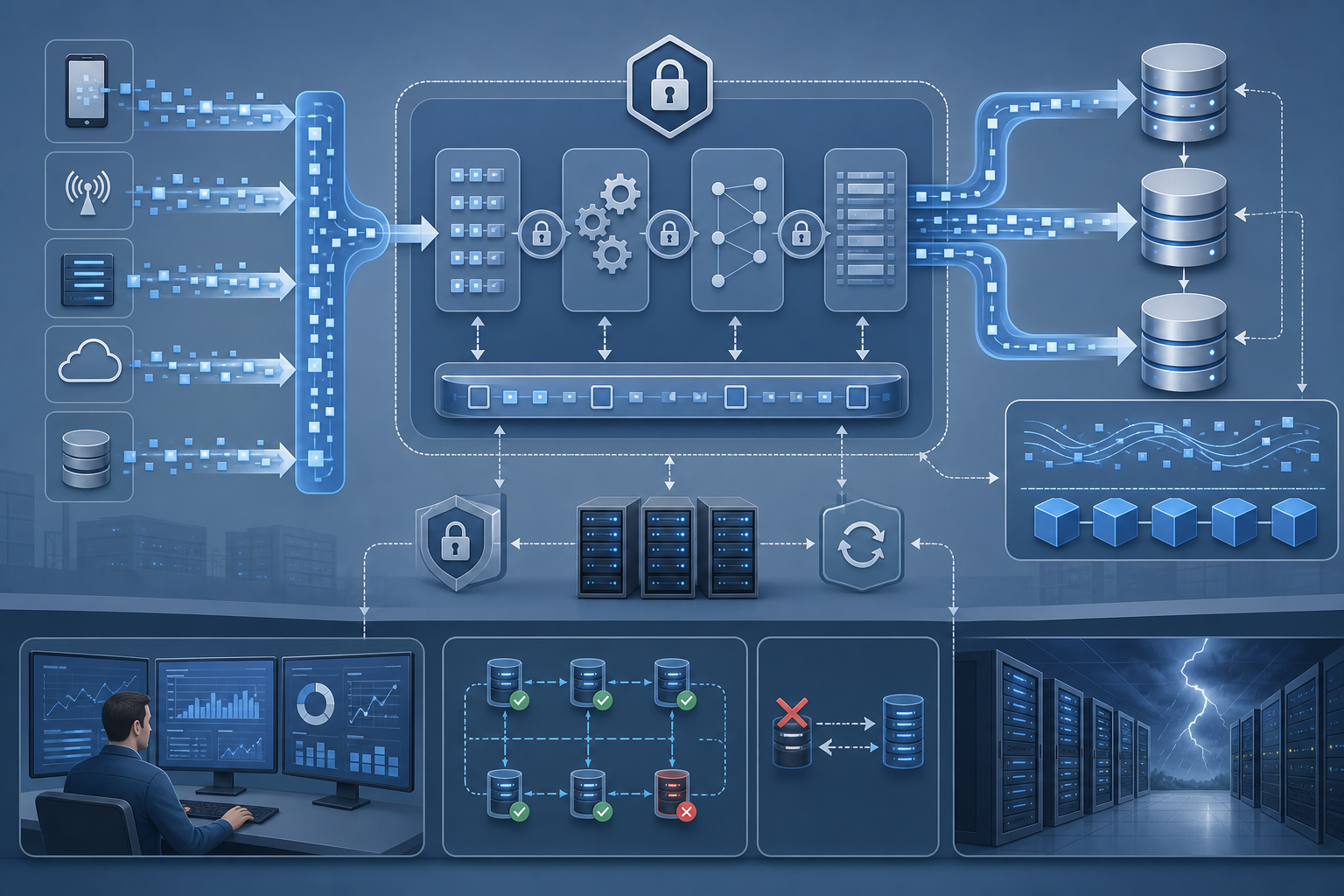
The finished pipeline has four parts:
- Kafka receives JSON or similarly structured events.
- Spark reads the stream, parses the payload, and applies transformations.
- Spark writes the output to a downstream sink.
- A checkpoint directory preserves progress and enables recovery after restarts.
A good finished state looks like this:
- New Kafka messages are consumed without manual intervention.
- Invalid records are either filtered or routed to a controlled failure path.
- The stream restarts cleanly after a job restart or driver failure.
- Output can be reconciled against source events using event IDs or timestamps.
Prepare Kafka and the input data
Goal
Create a source topic with predictable test data so you can verify the pipeline without guessing whether failures come from the producer, broker, or Spark job.
Action
Create a topic and publish a few sample events that include a stable key, timestamp, and payload fields you can transform.
kafka-topics.sh --bootstrap-server localhost:9092 --create --topic events --partitions 3 --replication-factor 1
A simple event shape might look like this:
{"event_id":"e-1001","device_id":"d-44","event_type":"login","ts":"2026-08-15T12:00:00Z","status":"ok"}
Expected output
Kafka accepts messages on the input topic, and you can read them back with a console consumer or your preferred inspection tool.
Validation
- Confirm the topic exists and has the partition count you expect.
- Read several messages from the topic and verify the payload is valid JSON.
- Check that the producer timestamp and application timestamp are not being confused.
Common failure
A frequent mistake is using malformed or inconsistent input data. If field names vary across events, your parsing logic will fail or silently emit nulls. Another common issue is choosing too few partitions, which can limit parallelism and make the stream look slower than it really is.
Define the Spark read path
Goal
Read Kafka messages into Spark with explicit offsets and a schema that makes the job deterministic.
Action
Use Structured Streaming to read from Kafka and extract the value, key, timestamp, and topic metadata. For JSON payloads, parse the value into structured columns rather than treating it as an opaque string.
from pyspark.sql import SparkSession
from pyspark.sql.functions import col, from_json
from pyspark.sql.types import StructType, StructField, StringType

spark = SparkSession.builder.appName("kafka-spark-stream").getOrCreate()

schema = StructType([
    StructField("event_id", StringType(), True),
    StructField("device_id", StringType(), True),
    StructField("event_type", StringType(), True),
    StructField("ts", StringType(), True),
    StructField("status", StringType(), True)
])

raw = (
    spark.readStream
    .format("kafka")
    .option("kafka.bootstrap.servers", "localhost:9092")
    .option("subscribe", "events")
    .option("startingOffsets", "earliest")
    .load()
)

parsed = (
    raw.selectExpr("CAST(value AS STRING) AS value", "timestamp", "partition", "offset")
       .select(from_json(col("value"), schema).alias("json"), "timestamp", "partition", "offset")
       .select("json.*", "timestamp", "partition", "offset")
)
Expected output
Spark creates a streaming DataFrame with one row per Kafka message and structured columns for downstream logic.
Validation
- Verify that the stream starts from the expected offset behavior. Use
earliestonly in test environments unless you intend to replay historical data. - Check the schema with a small sample before adding transformations.
- Ensure the job can connect to Kafka with the correct bootstrap servers, security settings, and ACLs if applicable.
Common failure
A common failure is assuming the Kafka payload is already valid for parsing. If the payload contains escaped characters, missing fields, or mixed formats, from_json will return null for bad records. Another common issue is starting from the wrong offsets and concluding that the consumer is broken when it is simply reading from the end of the log.
Transform the stream safely
Goal
Apply filtering, enrichment, and normalization without breaking the stream when bad data appears.
Action
Use simple transformations first: select the columns you need, normalize timestamps, filter invalid records, and derive fields that support downstream queries or alerting.
from pyspark.sql.functions import to_timestamp, expr

clean = (
    parsed
    .withColumn("event_ts", to_timestamp(col("ts")))
    .filter(col("event_id").isNotNull())
    .filter(col("device_id").isNotNull())
    .withColumn("is_success", expr("status = 'ok'"))
)
If your job uses wide transformations or large stateful operations, review Optimizing Apache Spark Performance with Memory Tuning Tips because memory pressure and shuffle behavior often determine whether streaming remains stable under load.
Expected output
The stream contains only well-formed records with normalized columns that can be written or aggregated reliably.
Validation
- Count a small batch of source events and confirm the cleaned stream contains the expected subset.
- Verify that timestamp parsing succeeds for the formats present in production data.
- Test at least one intentionally malformed message to confirm it is filtered or routed correctly.
Common failure
The most common mistake is adding complex UDFs too early. UDFs can make debugging harder, reduce optimization opportunities, and mask schema issues. Another common failure is filtering out all records because timestamps or required fields are being parsed in the wrong format.
Write the output and configure recovery
Goal
Persist results to a sink and make the stream restartable after interruption.
Action
Write the transformed stream to a sink and define a checkpoint location on reliable storage. If you need file output for a controlled test, use append mode with checkpointing.
query = (
    clean.writeStream
    .format("parquet")
    .outputMode("append")
    .option("path", "/tmp/kafka-spark-output")
    .option("checkpointLocation", "/tmp/kafka-spark-checkpoint")
    .start()
)
For stateful pipelines, windowed aggregations, or restart behavior that must survive failures, checkpoint design matters. If you need a deeper operational model, Optimizing Big Data Pipelines with Apache Spark Fault Tolerance explains how recovery, replay, and checkpointing fit together in production.
Expected output
Spark writes processed records to the sink and stores progress metadata in the checkpoint directory.
Validation
- Confirm the output directory receives new files or rows after events are published.
- Restart the Spark job and verify it resumes from checkpointed progress rather than reprocessing from scratch.
- Check that the checkpoint path is persistent and not an ephemeral local directory that disappears on restart.
Common failure
A dangerous mistake is placing checkpoint data on temporary storage. If the directory is lost, Spark may replay old data or fail to resume correctly. Another common failure is assuming the sink provides exactly-once semantics when it actually provides at-least-once behavior.
Validate end-to-end behavior
Goal
Prove that the pipeline reads, transforms, and writes the right records under normal conditions and after a restart.
Action
Use a small set of controlled messages with known event IDs. Publish them to Kafka, let Spark process them, then compare source and sink counts and values.
A simple validation sequence is:
- Publish three known messages.
- Wait for the sink to update.
- Confirm the transformed output contains the expected event IDs.
- Restart the job.
- Publish two more messages.
- Confirm the new messages are processed once and the earlier ones are not unexpectedly duplicated.
Expected output
You can explain every output record using a corresponding source message and transformation rule.
Validation
- Compare counts by event ID, not just total row counts.
- Inspect a few output records manually to confirm field mapping.
- Induce a controlled restart and confirm recovery behavior.
- If the sink is not idempotent, check for duplicate records after retries.
Common failure
A frequent error is validating only that “some data arrived.” That does not prove correctness. You need to verify that the same source messages produced the expected transformed output and that recovery behavior matches your delivery requirements.
Operational follow-up before production use
Goal
Turn the working prototype into a stream you can monitor, support, and safely change.
Action
Before production, verify the following operational controls:
- Kafka ACLs, authentication, and encryption are set according to policy.
- Checkpoint storage is durable, backed up if required, and isolated per job.
- Source and sink schemas are versioned or at least change-controlled.
- Alerts exist for consumer lag, job failure, and sink write errors.
- Restart procedures are documented and tested.
- Retention settings on Kafka are long enough for your recovery window.
If the pipeline must tolerate interruptions, replay, or partial failures, confirm how much data loss or duplication is acceptable and design for that reality. If your sink cannot absorb duplicates, add deduplication by event ID or a transactional write strategy that your stack truly supports.
Expected output
You have a pipeline that can be restarted, inspected, and defended during incident response.
Validation
- Review logs for parse failures, sink errors, and offset movement.
- Measure lag during normal publishing and after a restart.
- Confirm that schema changes are detected before they corrupt output.
- Test a rollback path by stopping the stream, correcting the issue, and restarting from the last valid checkpoint if appropriate.
Common failure
The most expensive failure is treating a successful demo as production-ready. A demo proves only that the happy path works. Production readiness requires tested recovery, durable checkpointing, access control, and explicit handling of duplicates or bad records.
Final takeaway
A Kafka-to-Spark streaming pipeline is straightforward to assemble, but safe operation depends on a few non-negotiable checks: valid input data, explicit parsing, durable checkpointing, and sink behavior you understand. If you can validate recovery, offset handling, and output correctness with controlled test events, you have a practical foundation for moving the pipeline toward production with far less risk.
Use this guidance together with secure AI model inference pipelines and vSphere Distributed Switch security policies to connect the workflow with related operational context already available on the site.