Key takeaways
Hyper-V Generation 2 virtual machines are designed to reduce boot-time and firmware-level attack exposure compared with older BIOS-based VMs. The practical value is not just “newer virtualization,” but a cleaner trust path for Secure Boot, TPM-backed scenarios, and modern guest OS features that depend on UEFI firmware.
For operators, the main question is not whether Generation 2 is better in theory, but whether those security features match the guest OS, boot method, and operational controls you already have. If they do, you can use them to improve boot integrity, support disk protection workflows, and align VM configuration with current hardening practices. If they do not, forcing the model can create boot failures or unnecessary support complexity.
Why Generation 2 security features matter
The security difference between Generation 1 and Generation 2 starts at the firmware boundary. Generation 1 VMs emulate legacy BIOS-style hardware, while Generation 2 uses UEFI firmware and a reduced set of virtual devices. That matters because many early-boot threats and misconfigurations happen before the operating system loads, when endpoint agents and most logging are not yet available.
Generation 2 also helps remove some legacy dependencies that can complicate hardening. For example, Secure Boot only becomes part of the normal boot path when the guest firmware supports it, and virtual TPM support is commonly associated with Generation 2 guests that need disk encryption or measured boot workflows. In practice, this makes Generation 2 more suitable for environments that care about boot chain integrity, modern OS support, and stronger baseline configuration control.
This does not mean Generation 2 is automatically “more secure” in every deployment. Security depends on how you configure it, what the guest supports, and whether your operational processes preserve those settings over time. A poorly managed Generation 2 VM can still be weakened by insecure template cloning, disabled Secure Boot, or inconsistent firmware settings.
What Generation 2 actually changes
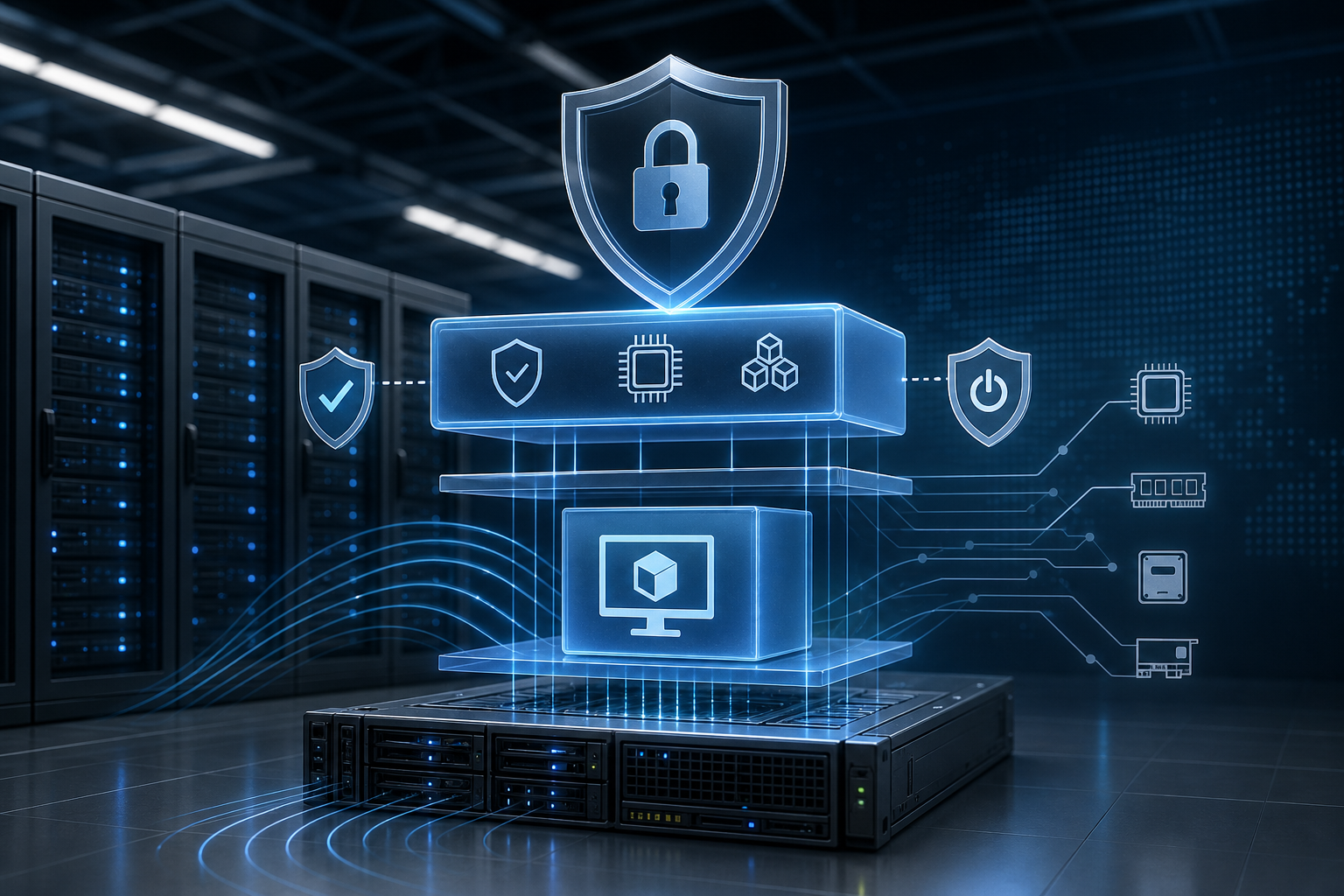
Generation 2 replaces the legacy BIOS-style start sequence with UEFI-based firmware and changes how the guest sees hardware during boot. That shift is the foundation for the security features operators usually care about:
- Secure Boot helps validate that the bootloader and early boot components are trusted according to the configured template.
- Virtual TPM can support guest-side encryption and measured boot workflows when the rest of the stack is configured correctly.
- Reduced legacy device emulation lowers exposure to old boot paths that may be needed for compatibility but are often unnecessary for modern operating systems.
- SCSI-only boot design and modern boot configuration simplify the firmware path and reduce reliance on older virtual devices.
The security implication is straightforward: fewer legacy components in the boot chain generally means fewer places to misconfigure and fewer compatibility-driven exceptions to manage. That is also why container hardening guidance often follows the same principle at a different layer: reduce attack surface, enforce least privilege, and verify the assumptions before production.
Secure Boot, virtual TPM, and trusted boot path controls
Secure Boot is usually the first feature people associate with Generation 2 security. Its purpose is to prevent the guest from booting unsigned or untrusted early-boot components according to the selected template and OS support model. In a real environment, this is valuable because boot integrity failures are harder to detect later in the stack.
Virtual TPM is the second major control. It is relevant when the guest needs OS-level protection tied to a TPM-like device, such as encrypted volumes or measured boot scenarios. The important operational point is that TPM functionality is not just a checkbox. You need to confirm guest OS support, management tooling compatibility, and whether your host/cluster configuration allows the feature in the first place.
A common mistake is treating Secure Boot and virtual TPM as interchangeable. They are related but solve different problems. Secure Boot protects the boot chain. A virtual TPM helps the guest store or measure security-sensitive material. In a production design, they often complement each other, but neither replaces patching, authorization controls, or host hardening.
How this works in practice
A typical secure Generation 2 VM design uses UEFI firmware, Secure Boot enabled with an appropriate template, and TPM-related features only when there is a clear use case. The guest OS must support the chosen settings, and any cloning or templating process must preserve the security baseline rather than reintroduce unsafe defaults.
The practical workflow is less about clicking through a wizard and more about validating a security assumption chain:
1. Confirm the guest OS supports Generation 2, Secure Boot, and TPM features.
2. Verify the VM template enforces the required firmware and boot settings.
3. Check that Secure Boot is enabled with the correct template for the guest.
4. Confirm TPM-related features are available and required before enabling them.
5. Validate the guest boots cleanly and reports the expected security state.
6. Record the settings in your build standard so clones stay consistent.
That sequence is useful because it forces the same discipline you would use for other hardening work: define compatibility first, then enable controls, then verify state, then make the settings repeatable.
A realistic environment where this matters
Consider a team running a mixed virtualization estate with older Windows and Linux guests, plus a new workload that must support encrypted disk protection and stricter boot integrity. The first instinct might be to standardize everything on the same VM template, but that can create hidden risk if Generation 1 defaults are carried into a workload that now needs modern firmware controls.
In that environment, Generation 2 is the right fit when the guest is modern enough to support it and when the workload has a clear security reason to use it. It may be the wrong fit for older appliances, niche OS builds, or recovery workflows that still depend on legacy boot behavior. The deciding factor is not preference; it is whether the guest’s operating model benefits from the tighter firmware path without creating avoidable operational exceptions.
Implementation trade-offs to expect
Generation 2 security features improve control, but they also change what operators need to manage.
The first trade-off is compatibility. Some older operating systems, legacy install media, and specialized drivers are not suitable for Generation 2. If your team inherits an application that depends on BIOS-era behavior, forcing a firmware change can introduce outages or non-obvious boot issues.
The second trade-off is template discipline. Security features only stay useful if your VM creation process preserves them. If administrators clone from the wrong template or relax firmware options during troubleshooting and never restore them, the environment drifts away from the intended baseline.
The third trade-off is operational visibility. Secure Boot failures and TPM-related issues can present as boot problems rather than security alerts. That means build validation and documentation matter more, because the failure mode may look like a generic startup issue instead of a clearly labeled security misconfiguration.
The fourth trade-off is lifecycle management. You need to know what happens during guest migration, backup restore, or VM redeployment. If the restoration process does not preserve firmware state or security settings as expected, the workload can come back with a different trust posture than before.
Decision guidance: when to use Generation 2 security features
Use Generation 2 when all of the following are true: the guest OS is supported, the workload benefits from Secure Boot or TPM-backed features, and your management processes can preserve the configuration reliably.
Be cautious when the VM is tied to older boot media, legacy drivers, appliance-style behavior, or a recovery model that depends on BIOS emulation. In those cases, the security gains may be outweighed by support overhead.
A practical rule is this: choose Generation 2 when you are building a modern VM from a controlled template and can validate boot integrity as part of the release process. Keep Generation 1 only when compatibility requirements are explicit and documented.
What this means in practice
For day-to-day operations, Generation 2 security is best treated as a baseline design choice, not a one-time feature activation. If you are building new VMs, define the firmware model, Secure Boot policy, and TPM requirement up front. If you are inheriting existing VMs, inventory them by boot model and identify which ones can be modernized without breaking dependencies.
The strongest outcome usually comes from standardization: a small number of approved Generation 2 templates, clear guest OS compatibility rules, and a validation checklist that confirms the boot path after every build or major change. If you already follow disciplined image controls for other platforms, such as the principles described in Docker hardening workflows, the same operational mindset applies here.
Common mistakes that weaken the security value
One common mistake is enabling Generation 2 without validating guest support. If the operating system or installer does not support the expected firmware path, the VM may not boot or may fall back into a fragile support state.
Another mistake is leaving Secure Boot disabled because it was turned off temporarily during troubleshooting. That creates silent drift, especially if the VM is later used as a template or a clone source.
A third mistake is enabling TPM-related features without a clear use case or without confirming the guest’s encryption or attestation workflow. That adds complexity without adding measurable security value.
A fourth mistake is assuming production settings survive every lifecycle event automatically. Cloning, migration, backup restore, and redeployment all need explicit validation, especially when the VM’s trust chain matters to compliance or incident response.
Production readiness checklist
Before treating a Generation 2 VM as production-ready, verify the following:
- The guest OS is supported on Generation 2 firmware.
- Secure Boot is enabled with the correct template for that guest.
- TPM-related features are enabled only when required and supported.
- The boot path is validated after creation, clone, and restore operations.
- Templates and automation preserve the approved firmware settings.
- Recovery procedures are documented for boot or security-state failures.
- Administrators know which workloads must remain on Generation 1 for compatibility reasons.
If these checks are not satisfied, the VM may still run, but you do not yet have a controlled security baseline.
Final takeaway
Hyper-V VM Generation 2 security features are valuable because they improve the trust boundary at boot, support modern firmware controls, and reduce reliance on legacy virtual hardware. They are most effective when paired with supported guest operating systems, repeatable templates, and explicit validation of Secure Boot and TPM-related settings. If you can verify those conditions before production, Generation 2 becomes a practical hardening choice rather than just a configuration preference.
Use this guidance together with session launch failures to connect the workflow with related operational context already available on the site.