Key takeaways
Azure virtual network peering is a low-latency, private way to connect virtual networks, but secure use depends on more than simply enabling the link. The main operational question is whether the peered networks should behave like one trusted fabric or remain separate security zones with tightly controlled paths.
For production environments, the most important practices are to define the trust boundary before peering, validate effective routes and security controls after changes, and treat transitive reachability as something to design around rather than assume. If you apply those rules consistently, you can use peering to simplify connectivity without collapsing segmentation.
Why this matters operationally
Peering is often introduced to solve an immediate connectivity problem: an application tier needs to reach a shared service, a migration requires temporary network access, or a platform team wants to avoid VPN overhead between environments. The risk is that the peering link is created faster than the security model is updated. Once that happens, teams may discover that systems can reach more than intended, monitoring does not reflect the new traffic path, or route changes in one network affect workloads in another.
That is why secure peering is not just a networking task. It is a design decision about blast radius, privilege boundaries, and how traffic is inspected, filtered, and logged between environments. This article helps you decide whether peering is appropriate, how to validate the design, and what to check before production use.
How peering works in a secure design
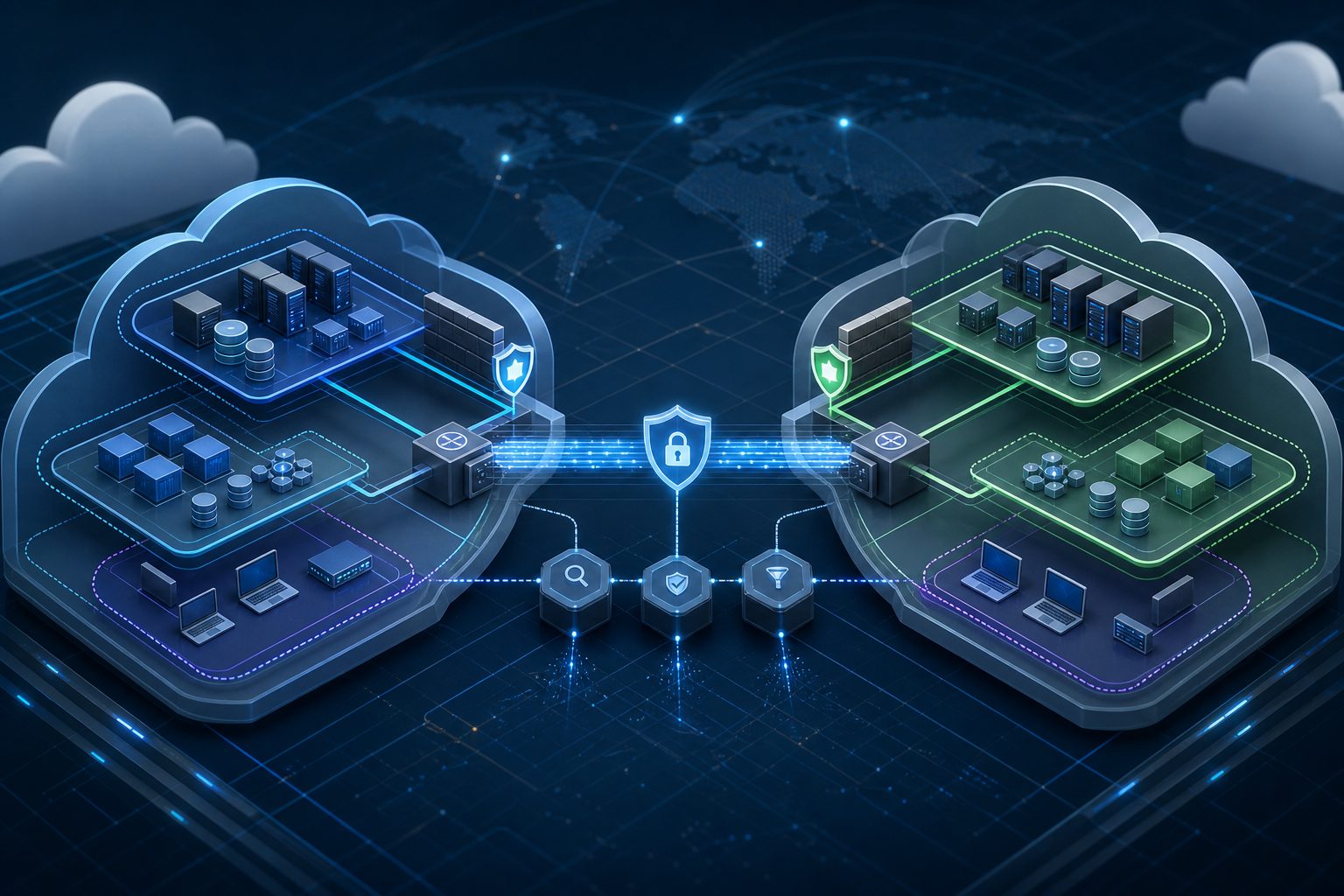
Virtual network peering provides private IP connectivity between networks without forcing traffic through an internet gateway or a separate VPN appliance. In a secure design, that private path is only one part of the picture. You still need to decide whether workloads can talk directly across the peering link, whether traffic must pass through inspection points, and whether each environment keeps its own policy controls.
A useful way to think about peering is that it connects address spaces, not trust domains. If two networks are peered, routes may become available, but that does not automatically mean the workloads should fully trust one another. Security groups, route tables, and inspection architectures still matter. If you need a deeper overview of the connectivity model itself, Azure Virtual Network Peering: Secure Multi-VNet Connectivity is a useful companion reference.
The practical implication is simple: peering should reduce transport complexity, not remove segmentation discipline. If you would not normally allow direct lateral movement between the workloads, the peering design should preserve that restriction.
When peering is a good fit
Peering is usually a strong choice when workloads need private, predictable connectivity and you want to avoid the operational overhead of tunneling traffic through an intermediary network. Common examples include shared platform services, hub-and-spoke architectures, and migration scenarios where one environment must reach another temporarily while systems are being decomposed or moved.
It is also a good fit when you need low-latency communication between services that are still intentionally separated for administrative or lifecycle reasons. For example, development, test, and production networks might share a common service layer but must remain isolated from each other. Peering can support that pattern if the routes and security rules are deliberate.
Where teams get into trouble is treating peering as a shortcut for poor segmentation. If the design depends on unrestricted east-west access, or if a central firewall policy is the only thing standing between one sensitive environment and another, peering may be the wrong control plane for the problem. In those cases, the decision is not only whether the networks can peer, but whether they should.
Workflow block: secure peering validation
Use this compact workflow before enabling or expanding a peering relationship:
1. Define the trust boundary: identify which workloads may communicate and which must remain isolated.
2. Confirm address space non-overlap and routing intent: verify that return paths and advertised routes match the design.
3. Decide inspection points: determine whether traffic should go direct, through filtering, or through a shared hub.
4. Validate security policy scope: check network security group rules, route tables, and any central firewall policies.
5. Test from representative sources: verify only the expected ports, protocols, and destinations are reachable.
6. Review logging and monitoring: confirm that flow logs, firewall logs, and alerting cover the new path.
7. Document the operational owner: assign who approves route changes and who investigates unexpected reachability.
This is intentionally not a full deployment procedure. It is a validation sequence that helps you catch the most common production risks before they become an incident.
What secure peering looks like in practice
Consider a common environment: a shared application platform in one virtual network, a data service in another, and separate development and production spaces that should never mingle. The platform team wants the app tier to reach the database service privately, while security wants production access tightly scoped and development access even tighter.
A secure peering design in this case does not mean “connect everything.” It means the app network can reach only the required service ports, management traffic remains separate, and development systems cannot use the same path to access production data. If an internal admin host also needs access, that should be explicit and reviewable rather than incidental.
This is where clear segmentation pays off. If you later need to change the database subnet, insert an inspection device, or rotate a service endpoint, the network remains understandable because the peering relationship was built around business flows rather than convenience. Teams that work this way usually spend less time tracing unintended reachability during incidents and change windows.
Trade-offs you should expect
Secure peering is not free of trade-offs. The main benefit is simpler private connectivity, but that benefit comes with design and governance responsibilities.
First, peering can increase the risk of unintended lateral movement if security rules are too broad. A peering link can make a previously unreachable subnet visible, which is useful for service connectivity but dangerous if the rule set assumes isolation by default.
Second, peering can complicate routing if multiple networks, hubs, or inspection layers are involved. It is easy for operators to lose track of which path traffic actually follows, especially when return paths differ from forward paths. That is why route validation is as important as rule validation.
Third, peering can create ownership ambiguity. One team may manage the source network, another the destination network, and a third the shared services. If nobody owns the effective connectivity outcome, exceptions accumulate and troubleshooting becomes slow.
These trade-offs do not make peering unsafe. They simply mean that peering should be treated as an architectural control with change management, not as a checkbox for connectivity.
Decision guidance: should you peer or not?
Use peering when the requirement is private connectivity between networks and the communication pattern is well understood. It is a strong default for stable application-to-service relationships, staged migrations, and network designs that separate administrative boundaries without requiring traffic to leave the private backbone.
Avoid using peering as the default answer when the design depends on broad trust, weak route control, or unclear ownership. If the only reason to peer is that it is the easiest way to make systems talk, pause and define the exact sources, destinations, ports, and inspection requirements first.
A useful decision rule is this: if you cannot describe the expected traffic in one sentence, you probably are not ready to peer the networks yet. That sentence should include who talks to whom, over which ports, and whether any inspection or logging is mandatory.
Common mistakes
The most common mistake is assuming that peering itself provides security. It does not. Peering provides connectivity, while security still comes from segmentation, route control, and filtering.
Another frequent mistake is forgetting to verify effective routes after a change. A route table may look correct on paper, but the actual path may differ once peering, user-defined routes, or central inspection points are involved. Always validate the effective path from a workload perspective, not only from the network design diagram.
Teams also sometimes over-trust name-based assumptions. If a workload is moved to a new subnet, replaced by an autoscaled instance set, or updated to use a different service endpoint, old allow rules may no longer match the real traffic pattern. This is one reason network changes should be reviewed alongside workload changes, not separately. For teams that routinely adjust compute layout, Azure Virtual Machine Scaling Strategies for Cost Optimization can help frame how compute changes affect connectivity and operational risk.
A final mistake is neglecting logging. If you do not collect flow or firewall evidence for the peered path, investigations become guesswork when a service becomes reachable unexpectedly or stops working after a route change.
What this means in practice
In practice, secure peering means you should be able to answer four questions at any time: what traffic is allowed, which routes make that traffic possible, where the traffic is inspected, and who owns the resulting exposure. If any of those answers is vague, the peering design is not yet production ready.
For operators, that means peering changes should always be accompanied by a verification pass. The pass does not need to be lengthy, but it must be explicit: confirm source and destination reachability, confirm denial for everything outside scope, and confirm that logs show the expected path. For security teams, it means reviewing peering as part of the workload threat model, not just the network diagram.
If you are hardening the workloads that sit behind the peering relationship, pair network validation with host hardening so that a connectivity mistake is less likely to become a compromise path. Azure Virtual Machine Hardening Best Practices for Secure Workloads is relevant when the peered networks include Linux or Windows VMs that require tighter local controls.
Production readiness checklist
Before you allow peering into production, verify the following:
- The business reason for peering is documented and limited to specific traffic flows.
- Source and destination address spaces do not overlap in a way that creates routing ambiguity.
- The expected routes are understood from both sides of the connection.
- Security rules allow only the required ports, protocols, and subnets.
- Any required inspection point or firewall hop is explicitly part of the design.
- Logging and alerting cover the peered path.
- The owners of both networks agree on change control and incident response responsibilities.
- A rollback plan exists if the peering exposes unexpected reachability.
If any item is missing, treat the design as incomplete even if the connection appears to work.
Final takeaway
Azure virtual network peering is secure only when it is designed as part of a broader connectivity and segmentation model. The safe pattern is to define the trust boundary first, validate routes and effective policy second, and confirm real traffic behavior before production. If you can explain the intended flow clearly, verify it with evidence, and keep the blast radius narrow, peering becomes a reliable way to connect private workloads without sacrificing control.
Use this guidance together with Azure VM backup strategies to connect the workflow with related operational context already available on the site.